Solved
JSP Task Form templates
The native task form templates were good for everything I need until last week but now I need to customise the task layout a little more.
There's a testpage.jsp task template which has samples of how to add the various tables and common elements of a task using tags, but there's no details of how to add a tab to the task or change the name of a tab.
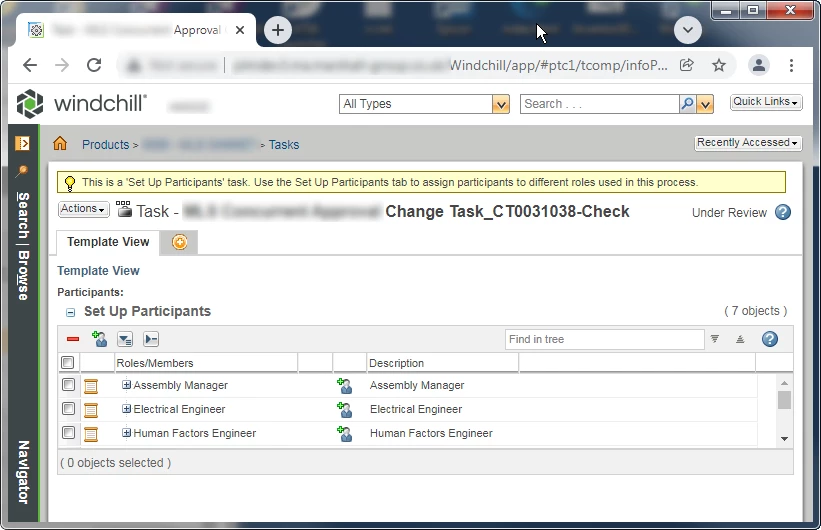
For example, I like the to have the Set-up Participants table on a separate tab. I've used the <tags:workItemActions/> tag to get the Set-up Participants table.
<%@ taglib uri="http://www.ptc.com/windchill/taglib/components" prefix="jca"%>
<%@ taglib uri="http://java.sun.com/jsp/jstl/core" prefix="c"%>
<%@ taglib tagdir="/WEB-INF/tags" prefix="tags"%>

<%@taglib uri="http://www.ptc.com/windchill/taglib/workItem" prefix="workItem"%>

<workItem:MyWorkItem/>
<c:if test="${myWorkItem != null && myWorkItem == true}">
	<tags:workItemActions/>
</c:if>
There's only one tab and it's name is Template View. I guess 'Template View' is default tab name you get if no name is given.