
12-Amethyst
August 1, 2023
Question

License Profile Simulation

  • August 1, 2023
  • 1 reply
  • 5948 views

Is it possible to simulate different license profiles, to test which licenses I need?


So, maybe there is a "I can do everything"-license-profile for an admin/test user that I can strip down with a profile. Is there maybe even a given database where I can download such profiles, to import them next to my standard profiles?


I would love to do that on the productive server, too, by the way.


Thanks!


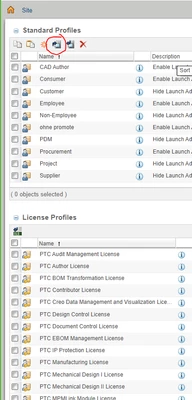
(Why: Every one of the three user-roles only uses his/her three to five standard processes. I can't tell which of the over 400 actions make them work or which of the PTC Windchill Advanced License, PTC View and Print Only License, PTC PDMLink Module License, PTC Creo Data Management and Visualization License, PTC Windchill Base License, PTC Contributor License I need, nor do I know in which of the five contexts, Product, Library, Project, Program, Global, which makes 12000 fields, which is too complex in its own. )
 

Andy_Admin_0-1690892857217.png


1 reply

avillanueva
23-Emerald I
23-Emerald I
August 1, 2023

Why not create a test user account and assign that user various license sets? You can generally tell what's possible by what actions disappear. Also if you look at the license profiles that match the license names, it shows a table of what actions it enables. There are some information here:

https://www.ptc.com/en/support/article/CS297225?source=search


12-Amethyst
August 2, 2023

Unfortunately, the license profiles I want to test are disabled. I cannot enable them or add users to them or their groups.

Andy_Admin_1-1690981606867.png


MarcoTosin
21-Topaz I
21-Topaz I
August 2, 2023

Do you have available licenses of the type of profile you want to use?


I don't think you can add a user to a license profile if you haven't bought that type of license.


This could be the reason for the "License not found..." error.


Marco