
1-Visitor
January 20, 2015
Solved

Managing Participant

  • January 20, 2015
  • 2 replies
  • 1595 views

Hi,

I just want to know what went wrong when I create a group and user in windchill.

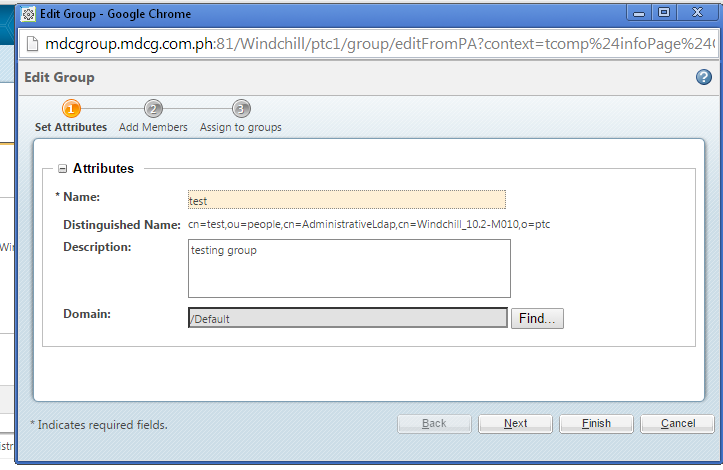
I created a a group name "test"
Untitled.png

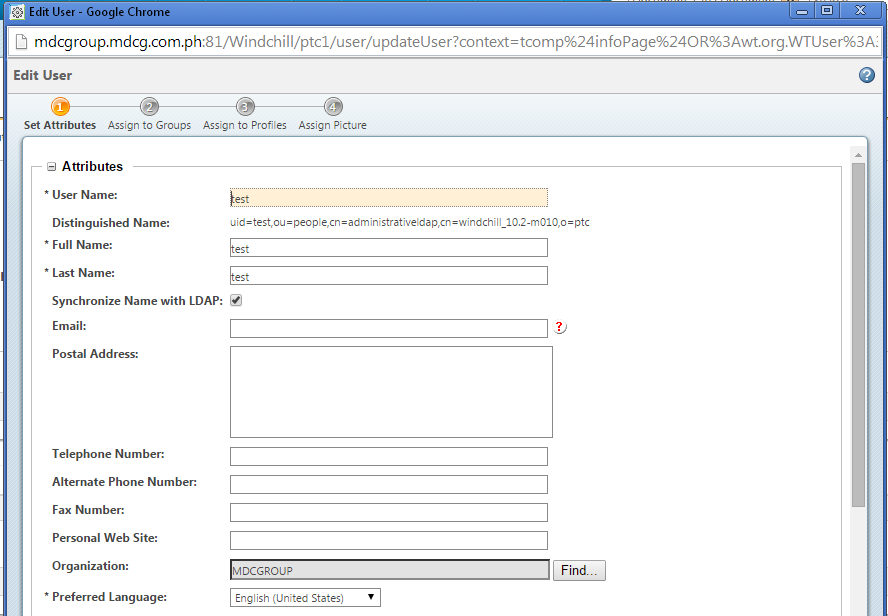
And I created a user name "user" and I assigned it to the group "test"
Untitled1.png

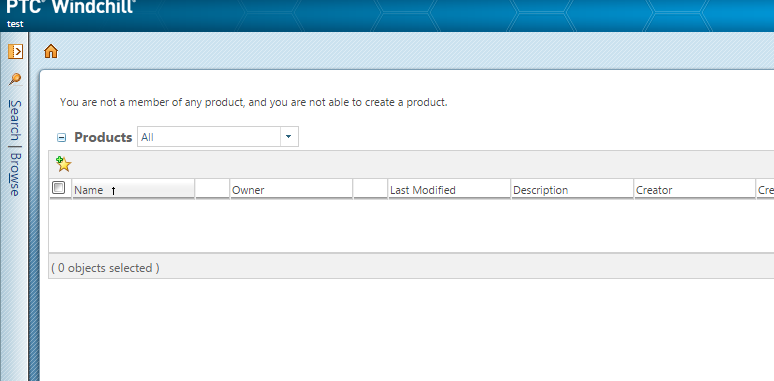
My question is when I log in as a "test"user. I cant view anything on my product.
Untitled.png

Whant seems to be the problem?

Thanks
Best answer by skhonde

Hi Luar Joy Dela Cruz,

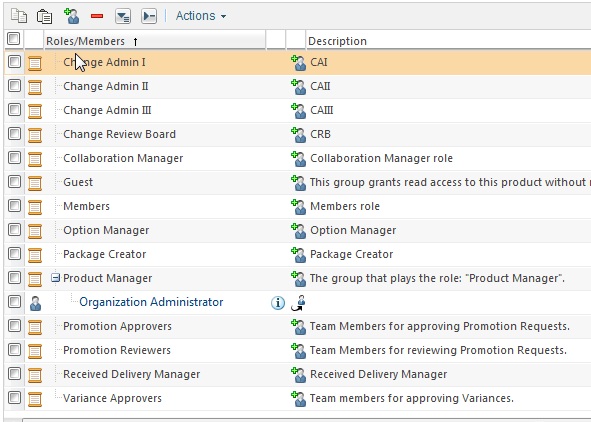
you have to add the group "test" under the Role Members/ Guest/ Product Manager etc.. in a Product which you want to see after logging in...

1. Go to that Product

2. Click on "Team" tab

3. You will see the list of "Roles" under the "Team" tab

4. Click on Add Participants to the team tab

5. After you add the Group "test" then the "user" will be able to see the Product after logging in.

Team+tab.jpg

2 replies

skhonde1-VisitorAnswer
1-Visitor
January 20, 2015

Hi Luar Joy Dela Cruz,

you have to add the group "test" under the Role Members/ Guest/ Product Manager etc.. in a Product which you want to see after logging in...

1. Go to that Product

2. Click on "Team" tab

3. You will see the list of "Roles" under the "Team" tab

4. Click on Add Participants to the team tab

5. After you add the Group "test" then the "user" will be able to see the Product after logging in.

Team+tab.jpg

Luar1-VisitorAuthor
1-Visitor
January 20, 2015

Hello Sandip,

Thank you. Now I know.

Luar