1-Visitor
January 6, 2015
Solved

Modifying Group Access Rights

  • January 6, 2015
  • 1 reply
  • 1079 views

Hi Everyone,

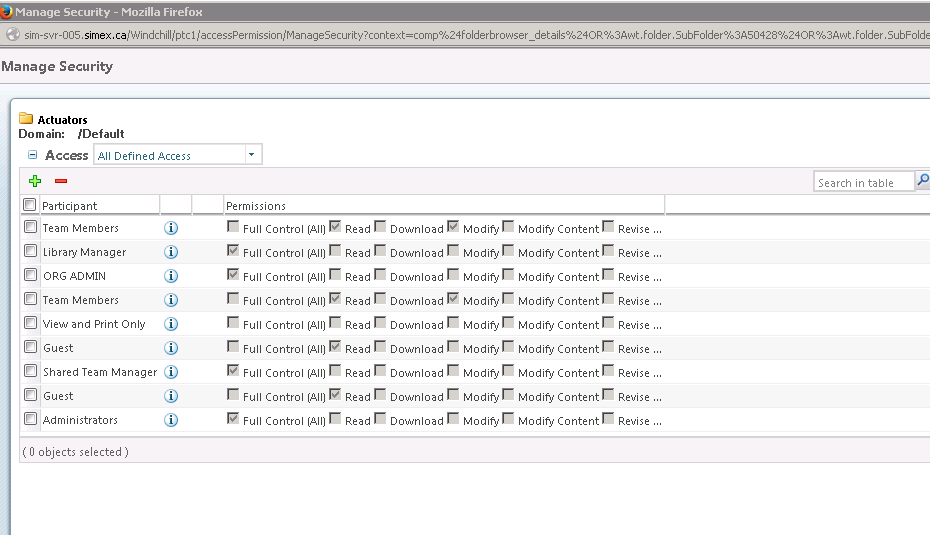
How do I modify the rights for Groups in the Manage Security screen?

Right now, all the checkboxes are disabled.

Thanks,
Capture.PNG

Best answer by JarrettOberg

Hi John,

You should be able to review the following article:

https://support.ptc.com/appserver/cs/view/solution.jsp?n=CS22423

  • To enable the permissions in the Manage Security window:
  1. Go to Site > Utilities > Preference Manager > Security
  2. For the preferences Access Permission Configuration and Access Permission Configuration (PDM), selectUpdate for all the required permissions
  3. For the corresponding type, grant Change Permission permission to the corresponding role/user in Policy Administrator/Administration

Thank you,

Jarrett

1 reply

1-Visitor
January 6, 2015

Hi John,

You should be able to review the following article:

https://support.ptc.com/appserver/cs/view/solution.jsp?n=CS22423

  • To enable the permissions in the Manage Security window:
  1. Go to Site > Utilities > Preference Manager > Security
  2. For the preferences Access Permission Configuration and Access Permission Configuration (PDM), selectUpdate for all the required permissions
  3. For the corresponding type, grant Change Permission permission to the corresponding role/user in Policy Administrator/Administration

Thank you,

Jarrett
