Question
Need Custom Column View In Search Results Window to Include Custom Designated Global Parameters
Version: Windchill 11.1
Use Case: I would like to add custom designated Global parameters to the search results window.
Description:
I am creating custom searches for CAD Documents that I want to share with the users and I need the search results windows to be able to display custom designated global parameters.
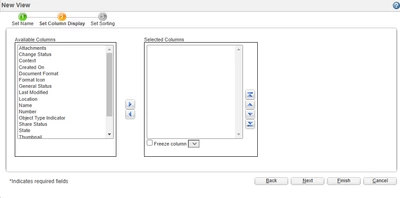
For example, I want to be able to search by our PROJECT parameter, but to find the correct parts within the search results, I need to be able to display other designated global parameters such as Title1, Title2. The only columns I can add are system parameters as shown below.
Any suggestions?