
15-Moonstone
May 13, 2024
Question

Office Worker, word document access problem

  • May 13, 2024
  • 2 replies
  • 2270 views

We have a strange problem with Windchill 12.0.2.6 and Creo View Adapters 9.0.0.0 configured for Office document publishing.

Every time a Word document goes to the Office worker for publishing, we get this popup on the worker server:
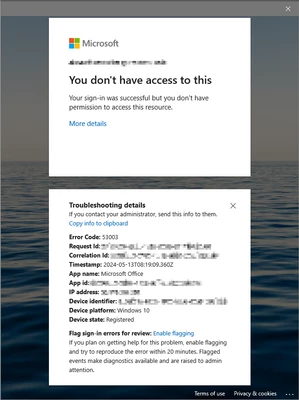
NPyn_0-1715588845175.png


And when I close that window, a login window pops up next:
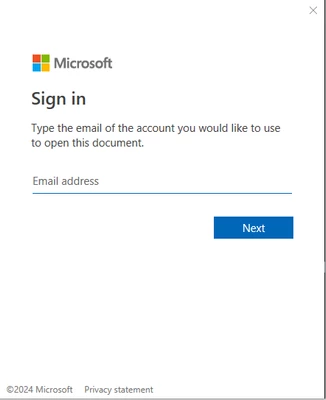
NPyn_1-1715588862064.png


When that is also closed, the worker creates the PDF successfully. If no-one goes and closes those dialogs on the server, the worker will just wait until the timeout and then fail the job.

Annoyingly, those windows stay open on the server and stack with each new Word publish job. So after a while, we might have tens of those windows open on the server and each one hogging up 50-100MB of RAM.


Anyone else have this problem? Any ideas on how to fix it? We already disabled MFA for that MS account as suggested somewhere else, but that didn't help.

2 replies

avillanueva
23-Emerald I
23-Emerald I
May 13, 2024

Looks like your worker service can interact with the desktop. Have you tried disabling that?

N-Pyn15-MoonstoneAuthor
15-Moonstone
May 14, 2024

We are running the worker as a program. Is it possible to restrict it's interaction with desktop without running it as a service?

avillanueva
23-Emerald I
23-Emerald I
May 14, 2024

Curious why you would not be running it as a service? No, if you are running it while logged in, then it would be able to interact with desktop.

Community Moderator
May 20, 2024

Hello @N-Pyn


It looks like you have some responses from a community member. If any of these replies helped you solve your question please mark the appropriate reply as the Accepted Solution. 

Of course, if you have more to share on your issue, please let the Community know so other community members can continue to help you.

Thanks,
Community Moderation Team.