
21-Topaz I
October 22, 2021
Solved

Performance issue with PA - Cannot set Location

  • October 22, 2021
  • 5 replies
  • 2968 views

PDMLink 12.0.1.2

Using Creo 4 M140

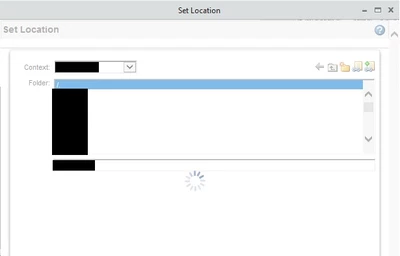
I turned the Windchill Performance Advisor on 2 days ago.  Since then I have received several reports saying a user cannot set the location of their CAD files when trying to check in.  They get the spinning circle.
STEVEG_1-1634905060107.png


I even tried it as org admin and get the same thing.

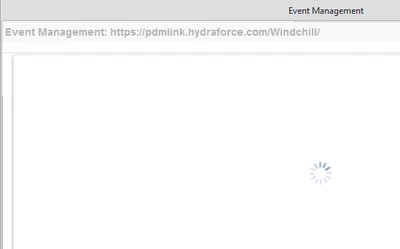
That isn't the only thing affected.  I get the same thing when going to the Event Management.
STEVEG_2-1634905283809.png

When opening the Event Management through Creo is when it happens which used IE as its internal browser by default.  Opening a separate IE browser and going into the EM does not produce the issue.

I changed Creo to use the Chromium browser and there is no more issue.

However, we had to switch the internal browser in this version of Windchill about a month ago because Creo wasn't working and it caused other problems.  That original problem cleared up so we switched back to IE.  Chromium for the internal browser is a no-go for us.

Does a newer version of Creo use a different internal browser by default?

If not then why not?  IE is no longer supported by Windchill so why would the internal Creo browser be IE?

Best answer by STEVEG

If I use windows_browser_type chromium_browser in the config file then it works.  The problem is we have other issues that pop up when we do.

5 replies

STEVEG21-Topaz IAuthor
21-Topaz I
October 25, 2021

I just read that this will be turned on by default in 12.0.2.0 with no option to opt-out.


Has anyone else even turned PA on in 12.0.1?

Marco Tosin
21-Topaz I
21-Topaz I
December 22, 2021

Hi Steve,

I think the PA section is having some issues because, at least for me, it's not possible to subscribe to this forum so I haven't gotten any new emails in months.


That said, we're still using version 11.1 M020 so I can't help you there.


Marco_Tosin_0-1640183018765.png


Marco
STEVEG21-Topaz IAuthor
21-Topaz I
December 22, 2021

Looks like you are correct.  There is no "Subscribe" like in the other sections.

STEVEG21-Topaz IAuthor
21-Topaz I
May 25, 2022

We have upgraded to 13.0.2.3 and we are still able to turn PA off.  When I turned it on we had those problems of not being able to set location again.

STEVEG21-Topaz IAuthor
21-Topaz I
May 25, 2022

Sorry.  I meant 12.0.2.3.

16-Pearl
May 25, 2022

I can confirm that you can disable in 12.0.2.4


STEVEG21-Topaz IAuthor
21-Topaz I
May 25, 2022

What is even stranger is I have this problem on our production server but not on our test or dev servers.

STEVEG21-Topaz IAuthorAnswer
21-Topaz I
May 25, 2022

If I use windows_browser_type chromium_browser in the config file then it works.  The problem is we have other issues that pop up when we do.