
12-Amethyst
August 8, 2023
Question

Printing in Windchill

  • August 8, 2023
  • 3 replies
  • 1431 views

Does anyone know of a good way to print information or text that's within Windchill?

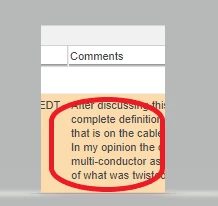
More specifically our company uses the "Comments" Section quite a bit for our Change Notice Documentation.

It seems there's no good way to capture or print this information unless you screenshot it.


See attachment for reference.
 

CR_9888056_0-1691518522116.png


3 replies

avillanueva
23-Emerald I
August 8, 2023

Not easily. I've done reports to export comments to XLS but this is typical of display and tables in Windchill. Its not designed to be printed. I created custom reports to accomplish this very thing and also copy comments like this to the discussion forum.

12-Amethyst
August 8, 2023

Actually I forgot I posted that same question a couple years ago, until I saw your links.

Sadly it seems there's still no good solution. 

18-Opal
August 10, 2023

@CR_9888056 ,

Actually there are a couple of good solutions.  None are OOTB but there are good solutions and if your company uses this a lot a simple automation is probably the way to go.


You could add a menu pick in the Change Notice actions menu to "*Print Comments".  When the user selects this page is could open a page that displays all the comments and whatever else you need to go with the comments. I'm thinking you'd want more than just the comments, at least the Changeable the comments are referring to as well.


Can you post what EXACTLY you’re looking for?

And is a “Print Comments” action acceptable?


HelesicPetr
22-Sapphire II
August 9, 2023

Hi @CR_9888056 


I usually creates own function that sorts and formats information on the page that is ready for printing or generate and download own formatted PDF.


In WIndchill 12+ you can use jasper reporting. 


PetrH