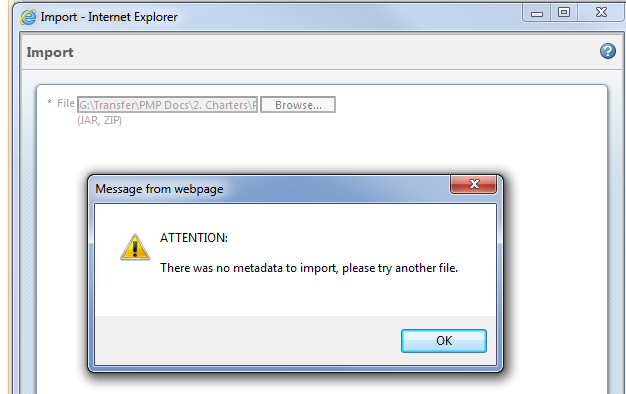
Was this .zip file created by an export/extract from Windchill? In other words, what are the extracted contents of the .zip file itself? I am assuming you are looking to do a bulk import of objects into the project, and not simply create a WTDocument where the primary content is that .zip file, right?
The zip file was created from a windows explorer directory. It's about 118 files I zipped up using WinZip. Yes your correct I'm just trying to bulk load the documents to WC ProjectLink so I get a WTDocument with primary content for each one.
I'd be happy to help you with this, if you like. I have a customer that is doing the exact same thing with about 400 objects, and we are using a server-side mechanism to bulk load the objects individually, each one as it's own WTDocument with primary content. I can also individually set life cycle state and revision to be different if that is required, and also load them into different contexts/folders as necessary.
It's a relatively small project - if you are interested, please contact me at robert.sindelar@eccellent.com and we can discuss the scope further.
Van Copeland, sorry to hear about all the issues you're having with this. Getting content into Windchill should not be difficult. Can you tell us more about the files in ZIP? based on the error message, it sounds like some of them may have already been in Windchill? What are you choosing as the default type on Import? Does it have any required Windchill Attributes that need to be assigned? A caveat of the Upload Documents from Compressed File is that you can only choose 1 primary document type. There is no way to open the ZIP and assign different types to different documents.
PTC Technical Support should be able to help you with this problem. All they need is the ZIP to reproduce the error.