


PSI Fails with " Error during schema Creation , while adding columns "
 Hi All,
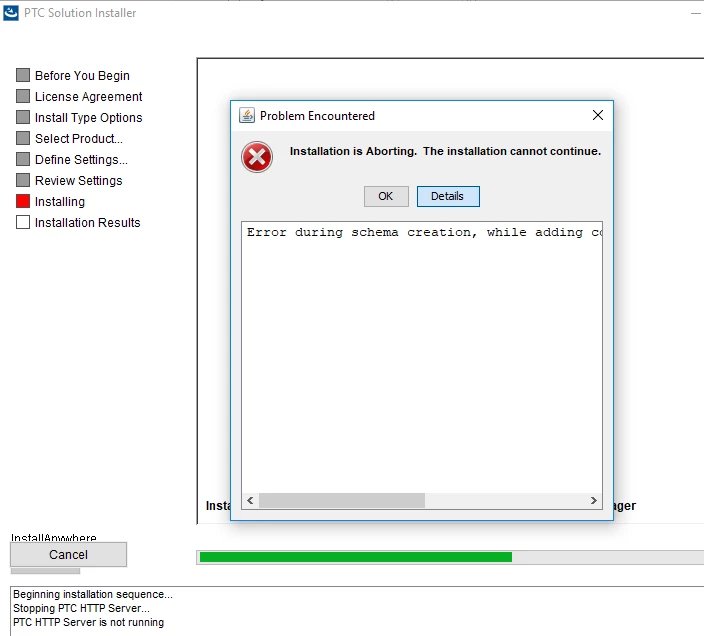
I am trying to install Windchill 11.0 M030-CPS11 on Windows 10 machine. I am getting the attached error and the installation is then getting aborted.
I have seen a PTC Case where it was said to run the below command
xconfmanager -s wt.db.maxBytesPerChar=3 -t codebase\wt.properties –p
But even after the property value got changed the installation is getting aborted. The PSI Installer error is as below
Updating database schema... be patient.
Java HotSpot(TM) 64-Bit Server VM warning: ignoring option MaxPermSize=128m; support was removed in 8.0
joining with std out thread
std out join complete.
joining with std error thread
std err join complete.
AddColumns -u -s process returned non-zero: 1
Installation is Aborting. The installation cannot continue.
Aborting installation.
Installation is Aborting. The installation cannot continue.
Error during schema creation, while adding columns. See the logs for more information.
aborting: original exit_code = 2
aborting: normalized exit_code = 2
SHUTDOWN REQUESTED
commiting registry
(X) shutting down service manager
(X) cleaning up temporary directories
Exiting with exit code: 2
cleanUp()
calling cleanUpWin32()
Best Regards,
Aditya