1-Visitor
July 13, 2016
Solved

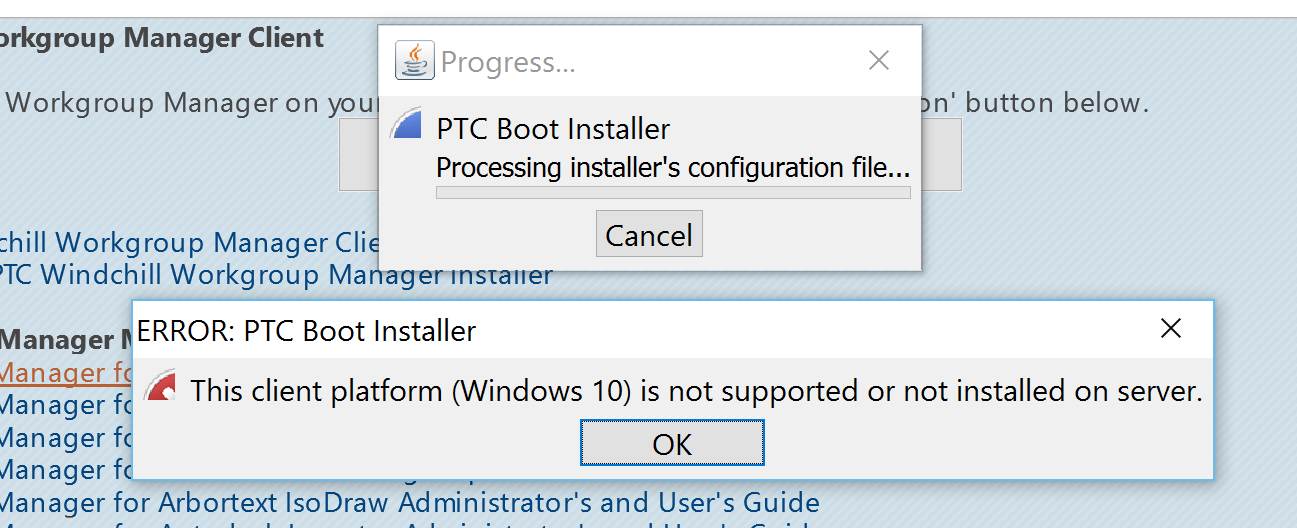
PTC WGM fails to Install on Windows10 after CPS17 is applied, It says This (Win10) Client Platform not supported

  • July 13, 2016
  • 11 replies
  • 6479 views

Waited for CPS17 which gives support to Windows10 platform for PTC WGM, But its the same issue as I saw in CPS14. Is CPS17 really supports WGM on Windows10?

Hi Pankaj Mooteri‌, Any idea on this issue?

Best answer by TomU

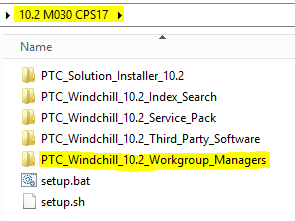
I manually copied the workgroup managers folder from the CPS17 download over to the Windows 10 computer.

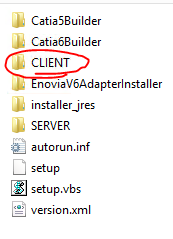
I then ran setup.vbs from inside the CLIENT folder.

11 replies

14-Alexandrite
July 13, 2016

Hi Harsha,

Issue seems to be with Java version that is installed on the Windows 10 system. We do support Windows 10 as client platform starting with 10.2 M030 CPS17.


Issue is reproducible with the java 8 update71. R&D have verified that issue is not reproducible with the Java 8 update 45 which we have qualified. So this is been regressed in between Java 8update 45 to update 71. Workaround could be to use java 8 update 45.

We will try to address this issue in next WWGM-CPS.

Regards,

Pankaj Mooteri

hn.a1-VisitorAuthor
1-Visitor
July 13, 2016

Hi Pankaj Mooteri‌, Thanks for the reply. I have Java 8 Update 91 on my client Windows10 and this is the latest update available from Oracle. It will be really a very bad workaround to go back to the old/previous update45 to Install WGM on Windows10.

Please check and confirm update 91 is supported or any other workaround. It will be painful to uninstall update91 and go for 45 on all the client workstations.

Thanks,

Harsha.

14-Alexandrite
July 13, 2016

Hi Harsha,

R&D is working currently on a workaround where user will be able to install WWGM on systems with Java8 Update 45+ by Creating a redistributable Windchill Workgroup Manager.

Once we confirm it, we would create a TS Article & publish it for reference.

Meanwhile, below is link for "Creating a redistributable Windchill Workgroup Manager" which you can refer until we provide exact steps for workaround in this case.

https://support.ptc.com/appserver/cs/view/solution.jsp?n=CS101157

Regards,

Pankaj Mooteri