pvsthumb.exe crashed error
Hi!
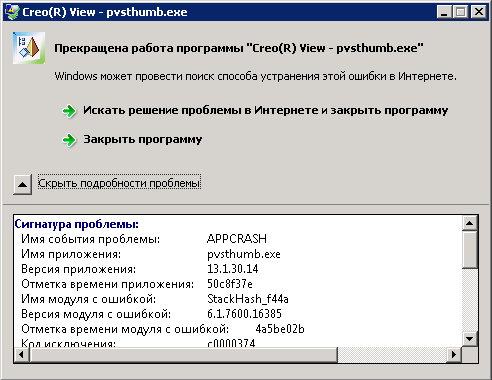
When I import WTParts with the representations files or when the visualization is going on I have the window with the pvsthumb.exe crashed error. Anybody know how to solve this problem?

Hi!
When I import WTParts with the representations files or when the visualization is going on I have the window with the pvsthumb.exe crashed error. Anybody know how to solve this problem?

Today i had such error after update CREO from M070 to M120 on CAD Worker and users PCs.
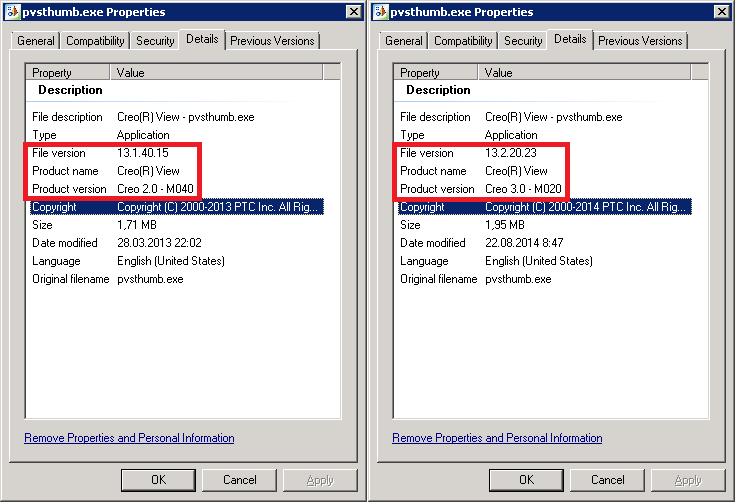
The problem is in pvsthumb.exe (version mismatch). To solve this problem i think PTC will recomend update windchill.

But i solve this problem by replacing pvsthumb.exe and modify pvsthumb.bom (probably it may be not necessary)
1) Copy pvsthumb.exe from ...\Creo 2.0\Common Files\M120\apps\prodview\bin (143 kB)
2) Copy pvsthumb.exe from ...\Creo 2.0\Common Files\M120\apps\prodview\x86e_win64\obj (2002 kB)
Сreate backup windchill server:
...\Windchill\wvs\x86e_win64\obj\pvsthumb.exe
...\Windchill\wvs\bin\pvsthumb.exe
...\Windchill\wvs\bom\x86e_win64\pvsthumb.bom
Replace ...\Windchill\wvs\x86e_win64\obj\pvsthumb.exe by ...\Creo 2.0\Common Files\M120\apps\prodview\x86e_win64\obj\pvsthumb.exe
Replace ...\Windchill\wvs\bin\pvsthumb.exe by ...\Creo 2.0\Common Files\M120\apps\prodview\bin\pvsthumb.exe
modify pvsthumb.bom
p pvsthumb.bom
i -1.-1
b 13.2.20.23
e x86e_win64/obj/pvsthumb.exe
s bin/pvsthumb.exe
P
Enter your E-mail address. We'll send you an e-mail with instructions to reset your password.