
1-Visitor
November 30, 2016
Solved

Remove default document type enumerations from New Document dialog.

  • November 30, 2016
  • 2 replies
  • 1192 views

How can I remove default document type enumerations from the drop down list in the Create new Document dialog? We only want to have document soft type that we created.

Thanks!
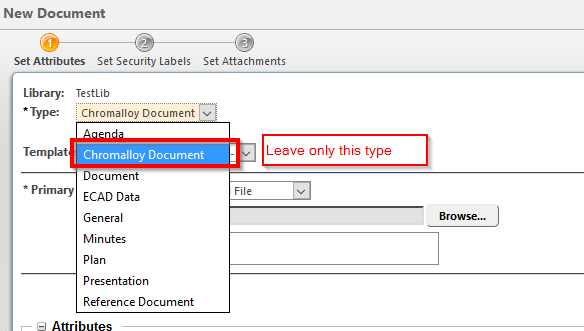
Figure1.png

Best answer by MikeLockwood

For each type that you do not want to be created at all, from Type and Attribute manager uncheck Instantiable

OPTION: In each context, for each type that you do not want created in that context, create an OIR for that type, with a lifecycle specified that does not exist.

2 replies

22-Sapphire I
November 30, 2016

For each type that you do not want to be created at all, from Type and Attribute manager uncheck Instantiable

OPTION: In each context, for each type that you do not want created in that context, create an OIR for that type, with a lifecycle specified that does not exist.

Alex_P1-VisitorAuthor
1-Visitor
November 30, 2016

Thank you so much for such a fast response! The setting of "Instantiable" attribute helped...