
8-Gravel
July 7, 2015
Question

Report not working after Release Update 10.2 M020-CPS05 -> CPS10

  • July 7, 2015
  • 2 replies
  • 2217 views

Hi,

we have the problem that a specific report is not working any more after updating from

10.2 M020-CPS05 to 10.2 M020-CPS10

and

Oracle 11g to Oracle 12c

Java 1.7.0_80-b15 ("Version 7 Update 80") is installed on the client machines.

The report has to do with promotion requests and the source can be found here:

Query Builder Report: getting the related Promotion Requests of a Drawing

If it's needed, I can post the exact report here.

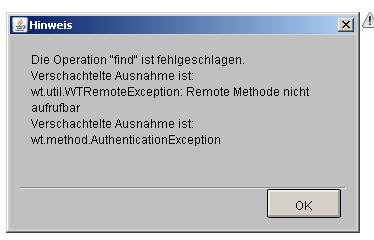
The page is loading continuously for a very very long time. Sometimes it gives out a report, sometimes an error occurs (in German but should give a hint):
2015-07-07 12-43-42_Report Management - Report Management.png

Other "smaller" reports work without any delay.

Can anybody confirm this? This is a pretty urgent issue since the report is used by many persons every day.

Thanks!

David

2 replies

Marco Tosin
21-Topaz I
21-Topaz I
July 7, 2015

David,

have you tried selecting only one attribute at a time and then run your report?

Maybe some DB index could miss, so running your report only with one attribute you could understand if this is your case and which attribute impact on report performance.

Marco
Spiff8-GravelAuthor
8-Gravel
July 7, 2015

Hi Marco,

I followed your hint but this doesn't work. It always takes that long.

I have to correct my first post: the error which is shown there does NOT have to do with the behaviour of the report execution! It was an unhappy coincidence that the error came up while running the report.

It's "only" that the report takes very long (about 6-10 minutes. before update: 2-8 seconds).

David

Marco Tosin
21-Topaz I
21-Topaz I
July 7, 2015

David,

my hint was because it seems some kind of performance problem.

How many columns (attributes) and rows have your report?

Did you know the differences that exists from selecting in query builder attributes with the red arrow instead of others?

Sorry if I ask something that you already know.

Marco
1-Visitor
July 7, 2015

Is this performance issue only with reports? I have seen issues where upgrade tool drops certain database indices. It is worth ensuring the presence of all required indices. https://support.ptc.com/appserver/cs/view/solution.jsp?n=CS98135.

Please update the database stats as well.

Also use of like operator with leading wild characters reduces the chance of using index than using a equal operator on a field which is covered by indexes. You can try to profile the action to identify where the time is actually spent.

Thanks

Binesh

Barry Wehmiller International