
22-Sapphire I
March 31, 2017
Question

Selecting to open viewable in Creo View - from workspace

  • March 31, 2017
  • 2 replies
  • 3459 views

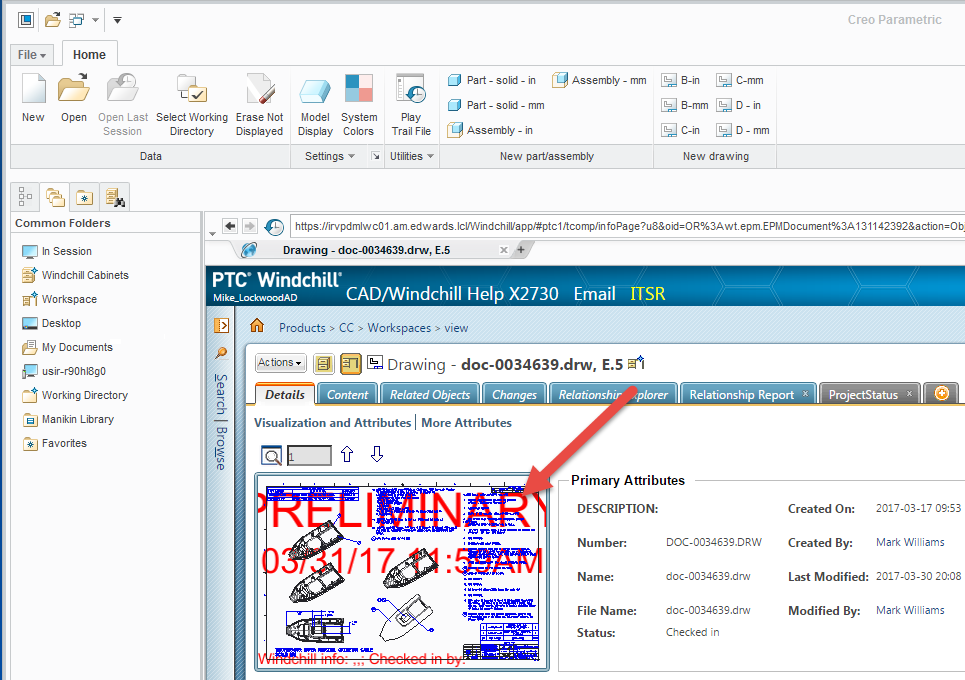
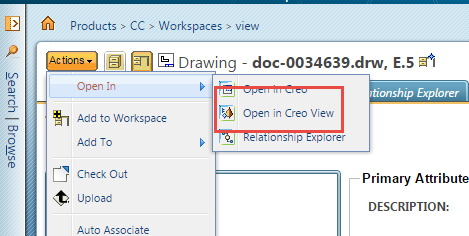
For only some users, for a CAD Doc in a workspace or in commonspace, selecting the viewable image from within the browser inside CAD (either Creo Parametric or SolidWorks WGM) results in nothing.  Actions, Open in, Creo View is grayed out.  For other users, this works perfectly.

No help from tech support on what may be causing this difference.

Ideas?

thanks

shown below is on my machine which works - for others, no effect from selecting the image and Open in Creo View is grayed out.
2 replies

1-Visitor
March 31, 2017

I usually disable Creo Parametric and 3D thumbnails, Windchill pages load more faster.

How to disable Creo Parametric thumbnail when viewing CAD document's details page in the embedded browser from Windchill PDMLink

https://support.ptc.com/appserver/cs/view/solution.jsp?n=CS61508

20-Turquoise
March 31, 2017

What release and build of Windchill?

What release and build of Creo Parametric?

Do all the users have the same release and build of Creo Parametric?

22-Sapphire I
March 31, 2017

What release and build of Windchill? 10.2 M030 CPS 14

What release and build of Creo Parametric? 3.0 M060 (2/3 of users); M110 (1/3 of users, soon to be all)

Do all the users have the same release and build of Creo Parametric?

Affects at least one each of users on both M060 and M110.

20-Turquoise
March 31, 2017

Well then you don't have the issue of needing at least Creo Parametric 3.0 M100 for Windchill 11.0 M010 and its new pvagent.exe process like I had.

I would try the following

  • switching the config.pro option windows_browser_type on the affected users and see if that does anything
  • removing the local workspace cache and re-registering the Windchill server

You didn't say what version of Creo View these users had. Might try updating to the latest supported by Windchill 10.2 M030 cps14. (Creo View 4.0 maybe??)