
10-Marble
August 29, 2023
Solved

Set State of Resulting Objects back to In Work

  • August 29, 2023
  • 2 replies
  • 1164 views

How do I use a robot to set the state of my resulting objects back to In Work.  The Lifecycle only allows the transition from In Work to Under Review, but on a rework loop they need to be set back to In Work to be updated.

 

Best answer by HelesicPetr

Hi @IanW 

First you should know how the Lifecycle works and how is it configured . Usually it depends on company needs. 

You can modify Lifecycle template to allow users to change the state from one state to another . 

Also a revise operation usually set the state to inwork for modifying the object with new revision. 


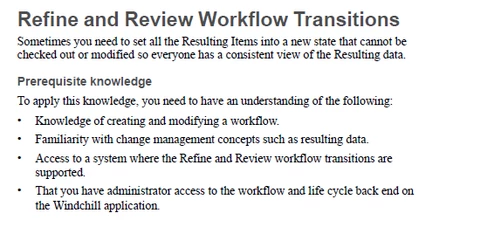
Customization guide describes some customization of workflow for rework task

/WindchillCustomizationGuide_12_1_0_0 page 1314

HelesicPetr_0-1693321312178.png

PetrH


2 replies

HelesicPetr
22-Sapphire II
August 29, 2023

Hi @IanW 

First you should know how the Lifecycle works and how is it configured . Usually it depends on company needs. 

You can modify Lifecycle template to allow users to change the state from one state to another . 

Also a revise operation usually set the state to inwork for modifying the object with new revision. 


Customization guide describes some customization of workflow for rework task

/WindchillCustomizationGuide_12_1_0_0 page 1314

HelesicPetr_0-1693321312178.png

PetrH


IanW10-MarbleAuthor
10-Marble
August 29, 2023

Thank you, I was able to add a Refine and Review transition to the workflow and a Rework State for the transition.  It worked beautifully!


Ian