
1-Visitor
Jun 7, 2016 8:01 PM UTC
Question

Trying to figure out Windchill Revise preferences, can you help me?

When I am trying to revise a WTpart in Windchill, I want the associated CAD docs (.asm and its children and drawings) to be included in the list as default.

I can only get the owner linked CAD .asm to appear, but cannot get the children of the CAD .asm to appear as default.  Also, can click the .drw collector in which that .drw will appear.

If I revise the CAD .asm initially, it will show in the list the associated WTpart, drawing and children of the .asm which is what I want as default. 


But the list will not populate when revising the WTpart per below.   And from the list below, cannot get the children of the .asm to appear with any collectors.
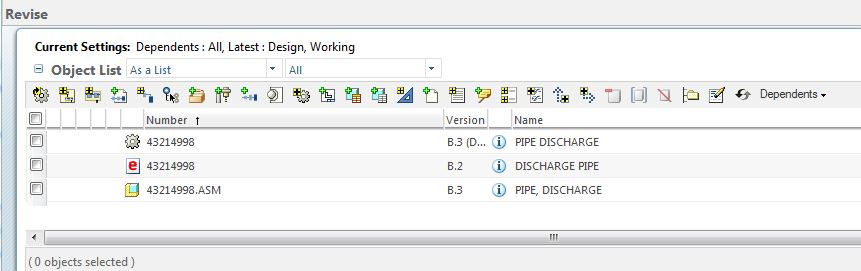
Capture1.JPG

I have modifed the preferences below, but just cannot figure it out to get all in the list as default.
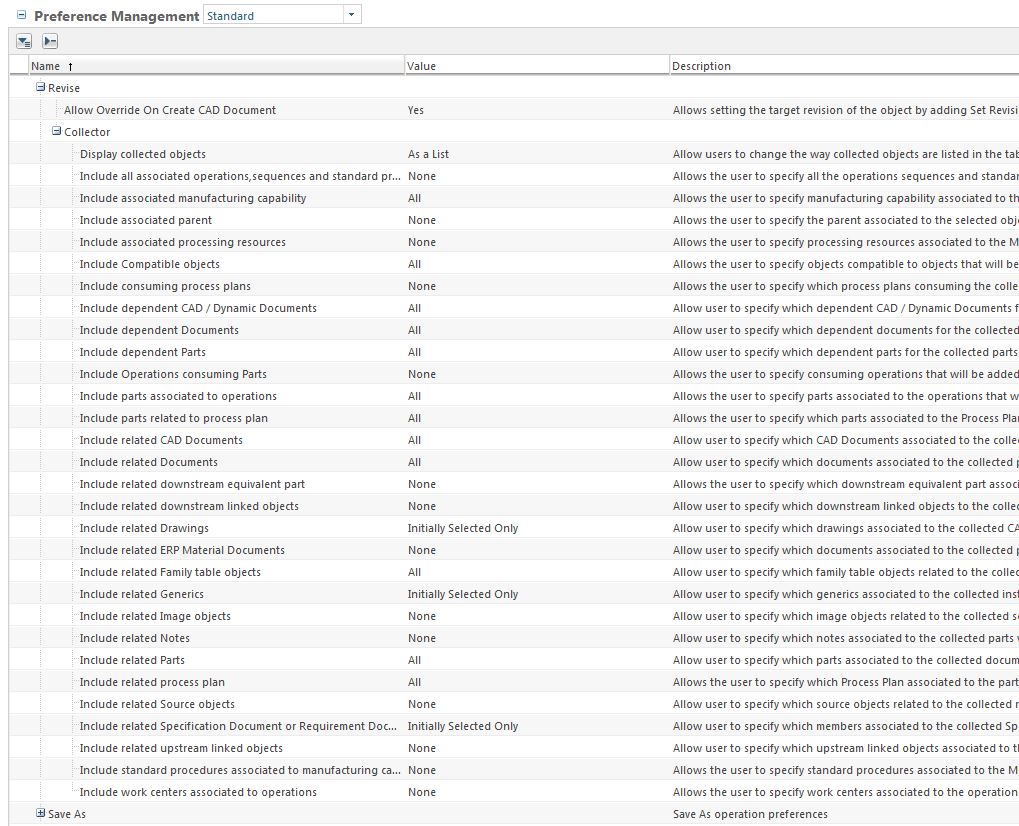
Capture.JPG

5 replies

1-Visitor
Jun 9, 2016 4:37 PM UTC

Brad,

Try setting these accordingly:

  • Include related downstream linked objects:  All
  • Include related upstream linked objects:  All
  • Include related drawings:  All

Let us know how that works.

Translate
1-Visitor
Jun 9, 2016 7:08 PM UTC

Bob,

Those settings did not work.

Translate
GregoryPERASSO
16-Pearl
Jun 10, 2016 7:12 AM UTC

Hello Brad,

downsteram and upstream are for MPMLink links between eBOM and mBOM.

I don't remember if the revise collector can collect 2 levels of links in one action.  for example from Wtpart, then get the owner 3D asm, then get the childs prts of the asm .... Cause "dependant CADDoc" should collect the childs ...

And do you link the Drawing with "real" content links between wtpart and CADdoc ? or do you use calculated links ?  because at least in windchill 10.0 the calculated link was not collected ...

regards

Translate