21-Topaz I
January 17, 2017
Question

Type: Other

  • January 17, 2017
  • 8 replies
  • 2621 views

Once in a while I have a user that will check in a file from a workspace they didn't mean to and didn't realize they did.  These files go in a the type "Other".  I thought I could just create a policy that won't allow anyone to check in a file of this type.  When I went to the Policy Administration I couldn't find it.  Is this possible?
8 replies

1-Visitor
January 18, 2017

How to save files (STEP, JT, PDF ..etc) created from CAD Document in Workspace as attachment or a separate CAD Document in Windchill PDMLink

https://support.ptc.com/appserver/cs/view/solution.jsp?n=CS74109

17-Peridot
January 18, 2017

I don't have a solution ready, but for your information, Other is not a Type. You won't find a Type "Other" in the Attribute and Type Manager. So you won't find it in the Policy Manager. This is a normal EPMDocument with the Attribute "Document Category" set to Other. The icon is dependent with this attribute.

1-Visitor
January 18, 2017

I has changed the link.

With the CAD Document open in session, perform the following:

  •     File >  Save a Copy
  •     Select required file format in the Type drop down list
    •     Deselect the option Save new files to Model's CAD Document to save the file as independent file in Workspace
    •     Select it to store the file as attachment
  • One may use the config.pro option dm_save_as_attachment to control the setting of the option Save new files to Model's CAD Document
STEVEG21-Topaz IAuthor
21-Topaz I
January 18, 2017

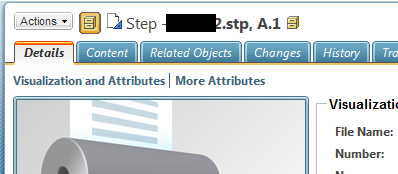
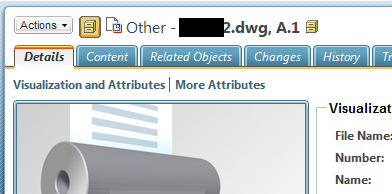
Sorry, the second image I added was not the right one.

How can I prevent someone from checking in a file where the category is "Other"?  Or is that not possible?

16-Pearl
January 18, 2017

Not a complete solution, but ...

We allow importing of objects into the WS via the config option allow_import_file_extension sym, mat, txt, stp, igs, dip, dop, and so on.  If your users are using this option to import non-CAD objects into their WS, you may want to put the option in the config.sup file to prevent them from adding the objects in the first place.

When these files are imported into the WS, they show as "CAD Document" in the WS [when mousing over the object type indicator icon], and once checked into the CS, they show as simply "Other".  In both cases the icon is the same as you have shown.  If I show the information page for the object in the WS, it shows as "Other". If I recall correctly, in previous versions of Pro/Intralink (pre 10.2), the objects showed as "CAD Document Other" in the WS and CS, but I cannot confirm this.

I was not able to find that icon in the attribute manager, or the type "Other".

Pro/Intralink 10.2 M030
Creo Parametric 3.0 M030

Regards,

Dan N.

1-Visitor
January 18, 2017

The "Other" is the "Document Category" attribute value of EPMDocument

14.png