avillanueva
23-Emerald I
23-Emerald I
February 14, 2023
Solved

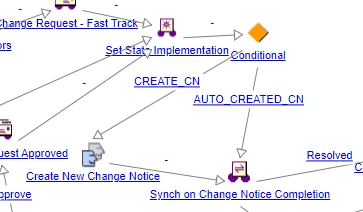
Users forgetting to complete "Create New Change Notice" task
  • February 14, 2023
  • 2 replies
  • 3987 views

avillanueva_0-1676381426506.png

OOTB, the CR only waits on the Change Notice completion if the user acknowledges their creation of the change notice. Functionally, the process continues since the the change notice is created and the user can proceed one. I know its a training issue but the CR workflow is halted until the user completes a task and could impact resolution dates. Do others have this problem and how have you solved it?
 

Best answer by TomU

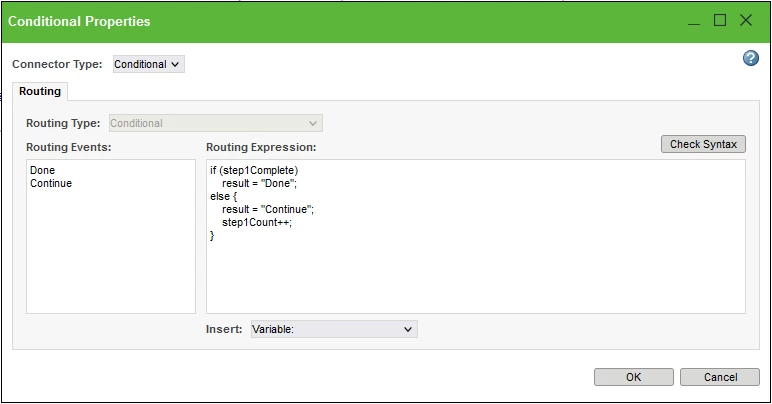
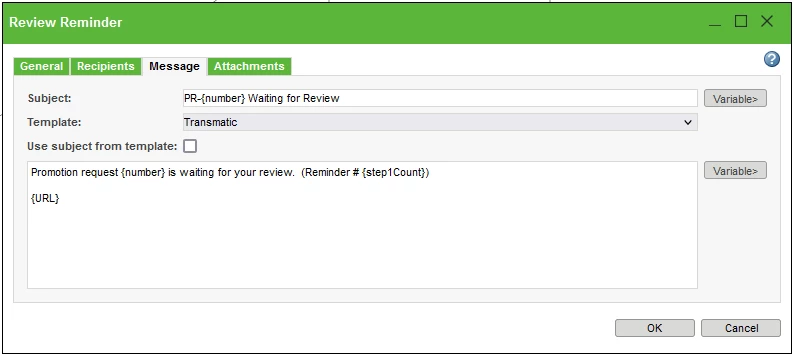
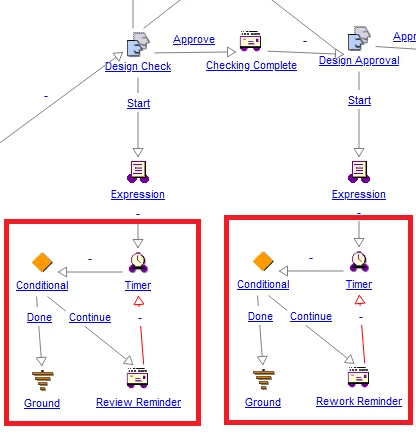
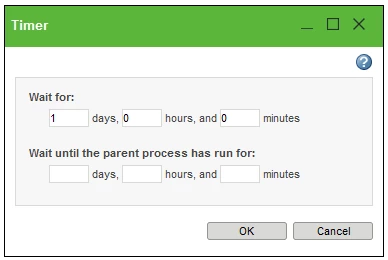
You can also build your own email notification loop.  We have these coming off each task now.


TomU_0-1676645945803.png

TomU_1-1676645988794.png

TomU_2-1676646025249.png

TomU_3-1676646052355.png


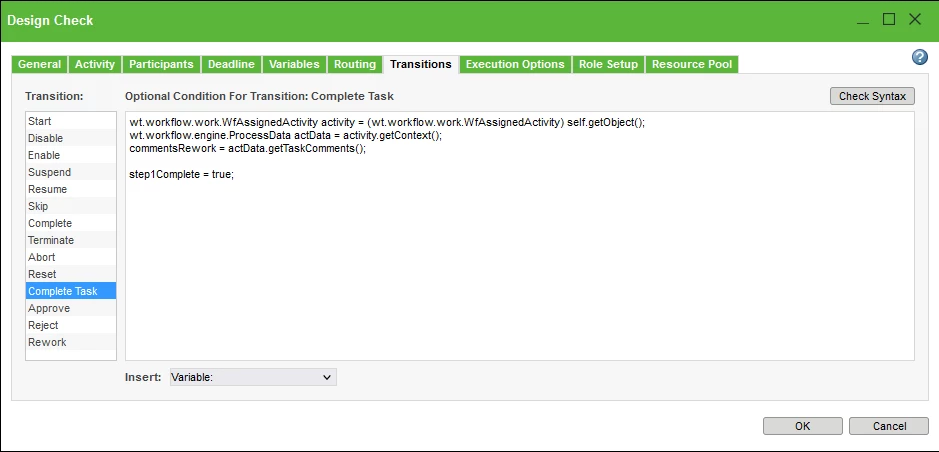
The task transition sets a variable that kills the loop the next time the timer goes off:

TomU_4-1676646161198.png


As far as modifying the out-of-the-box workflow, I can't imagine not having done that.   We've improved so many things over the years, and I've never had to do anything to it after each upgrade, at least not yet...

2 replies

18-Opal
February 14, 2023

If I understand correctly, the issue is the user who gets the Create New Change Notice task is holding up the game and needs to be nudged.

Have you tried making it very visible who’s holding up the game.


I have two approaches to do this.

One is a custom banner and the other is a custom data utility both add to the object’s info page if the object is on a CR (or CA, CN, Promotion Request or whatever).

In this case, if the object it linked to a CR the detail page displays a message stating the activity name, Create New Change Request, the user who the activity is assigned to and, wait for it, how long the activity has been on the users task list.


The code can be written such that the message does not display until the task is 2 days (or whatever) old.


It’s amazing how something like this gets everyone’s attention. 😂

avillanueva
23-Emerald I
23-Emerald I
February 14, 2023

Where is this guy when you need him?

avillanueva_0-1676404134625.gif

"It looks like you have some tasks to complete"

17-Peridot
February 17, 2023

If you want to edit or copy the Change Request Workflow, you can set a deadline for the task and add reminder emails. Once the deadline has passed, the task on their Windchill home page will have their Deadline date value show up in a different color (I think it's red). Unfortunately, the max emails without additional customization appears to be 2. Per the help documentation: "Notify the responsible role—You can use these options to specify when the notification should be sent. If you do not specify a date in relation to the deadline, then the notification is sent when the deadline is reached."


lhoogeveen_0-1676638941410.png

The biggest downside to editing/copying a workflow is that whenever you upgrade Windchill you'll have to review if PTC made any changes to the OOTB workflow and manually incorporate the changes. You'll want to have good documentation about what you've customized.

HelesicPetr
22-Sapphire II
22-Sapphire II
February 17, 2023

HI @lhoogeveen 

Good advice if the task should be done instantly by user after the task starts.

If responsible user has another work to complete it can takes a week then the task is completed.

There can be just two notification emails to remind the completion.

And I know many users ignore that emails.


PetrH.

18-Opal
February 17, 2023

One solution I have implemented is a loop in the workflow.

The loop includes a timer robot that goes to an email robot which send the reminder email.

Include a conditional robot after the Create New Change Notice robot that will terminate the timer robot.


So, the robot the has a connector to the Create New Change Notice also has a connector to timer robot.

Timer robot goes to email robot and email robot connects (loop link) back to timer robot.


Something like that.


David