

PetrP
14-Alexandrite
Jan 29, 2020 11:07 AM UTC
Solved

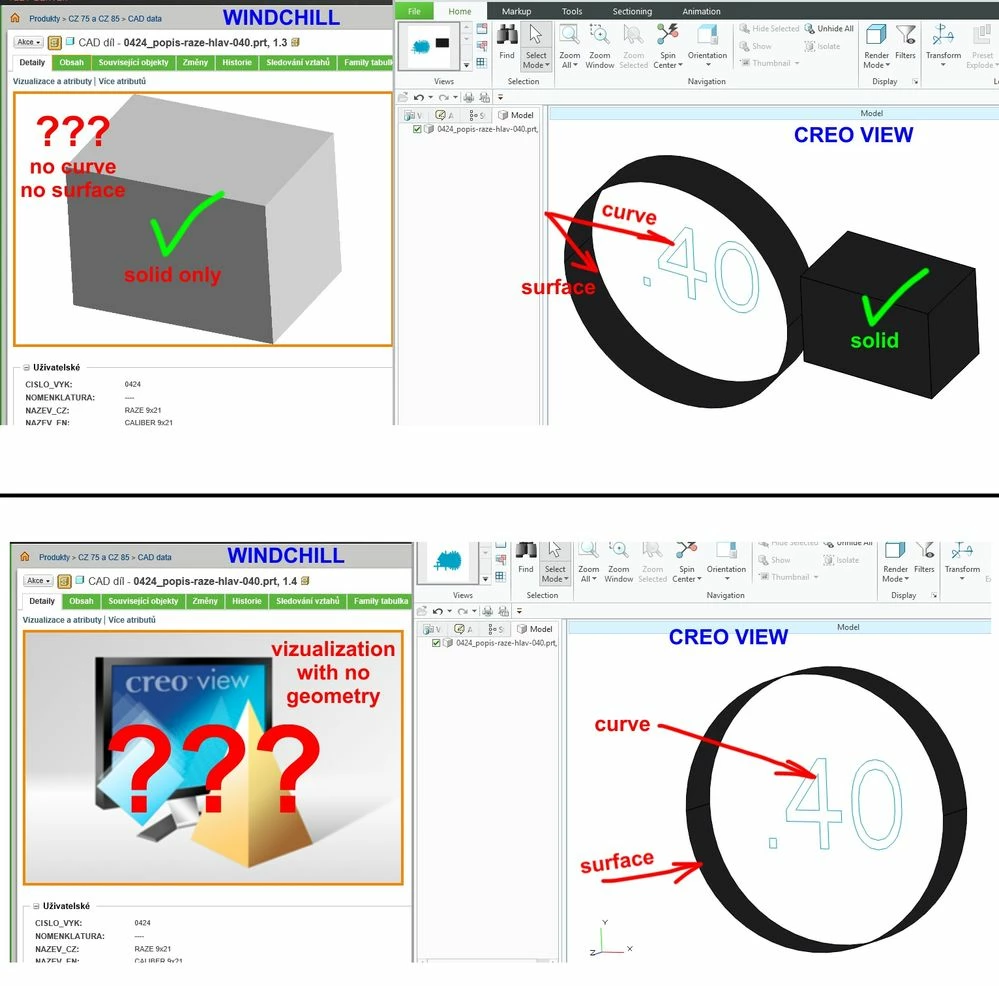
Vizualization with no geometry

Hola, why unable to see surface or curves on WCH detail page even Creo View can open vizualization OK?
 

VizNoGeom.jpg


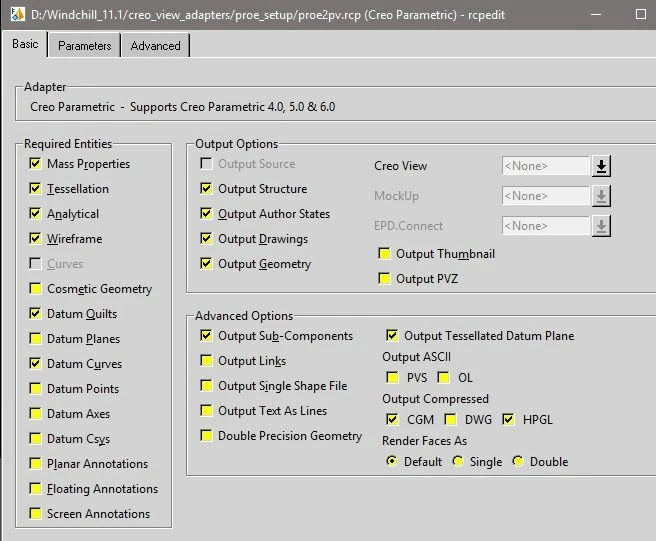
This is my RCP setting on the server (curves and quilts allowed)
 

RCP.jpg


Think vizualization is OK so Creo View shows everything but why WCH refusing to show it as well?

vdegaonkar
15-Moonstone
Feb 4, 2020 7:37 AM UTC

Hi


What you view on Windchill Detail page is 2D or 3D thumbnails. For both 2D & 3D thumbnails:

  • 2D geometries (Sketch, Cosmetic\ECAD sketch etc) are not support. they will not show up in thumbnail. 
  • 3D solids that are visible are displayed in thumbnails
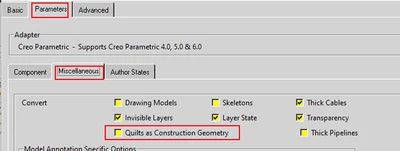
  • 3D surfaces (Quilt geometries) by default get converted as datum entities from Adapter for Creo Parametric (PROE Worker). Datum\Construction geometries are are also not supported for thumbnail generation. One can convert 3D surfaces are quilt geometry by un-checking "Quilts as Construction Geometry"option:

vdegaonkar_0-1580801768351.png


Hope this helps.

2 replies

vdegaonkar
15-Moonstone
Feb 4, 2020 7:37 AM UTC

Hi


What you view on Windchill Detail page is 2D or 3D thumbnails. For both 2D & 3D thumbnails:

  • 2D geometries (Sketch, Cosmetic\ECAD sketch etc) are not support. they will not show up in thumbnail. 
  • 3D solids that are visible are displayed in thumbnails
  • 3D surfaces (Quilt geometries) by default get converted as datum entities from Adapter for Creo Parametric (PROE Worker). Datum\Construction geometries are are also not supported for thumbnail generation. One can convert 3D surfaces are quilt geometry by un-checking "Quilts as Construction Geometry"option:

vdegaonkar_0-1580801768351.png


Hope this helps.

Translate
PetrP
PetrP14-AlexandriteAuthor
14-Alexandrite
Feb 4, 2020 11:38 AM UTC

"Not supported" is not a solution. Think it would be easy to implement when CreoView is able to show it so why not WCH... I have created new WCH idea here

Translate