
11-Garnet
Question

Where can i see Associated to Change icon from object status in windchill

We are using windchill. When i add CAD object in WCN, not submit WCN yet, i dont see any status icon in front of CAD object.

In Windchill help document - https://support.ptc.com/help/windchill/r13.1.1.0/en/index.html#page/Windchill_Help_Center/objectoview/ObjectOviewStatusIndicators.html#


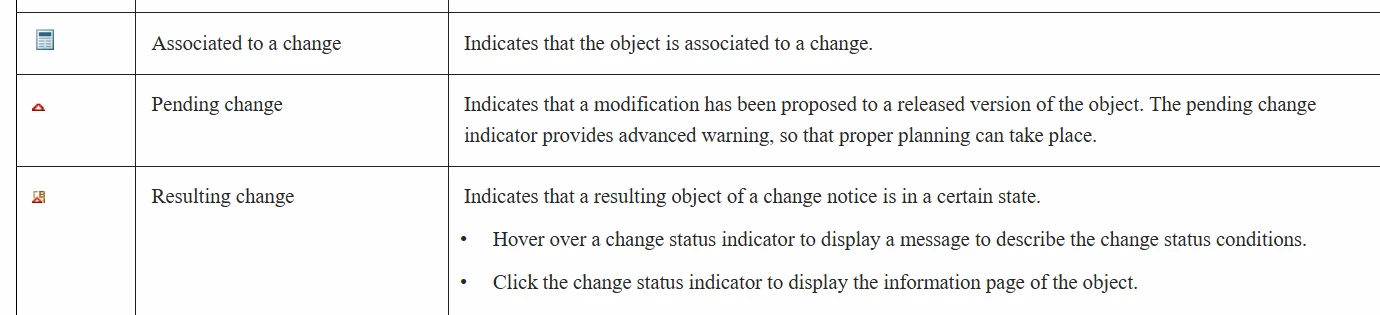
I see 3 object status icons related to change notices - 

But i am not able to find Associated to a change object status icon.

Anyone have any idea about this and how it works?
 

    5 replies

    Dobi
    17-Peridot

    That would show up for something like an annotation in the Representations table when you pull in the annotation into the change. 


    Translate
    11-Garnet

    Ok, then i think it is not useful in WCN process.

    Translate
    Fadel
    23-Emerald II

    That should be on info page , take a look at settings in https://www.ptc.com/en/support/article/CS36826 


    Translate
    Buiꓘa
    11-Garnet

    Windchill shows if Change notice is submitted. It will not show this symbol if WCN is just generated, CAD objects are added in affected window and not submitted yet. Because of this , engineers can not see if specific cad file is in progress to be added in WCN and submitted.

    We are using Design Review and WCN in our orgnisation, and if any cad object is added in both of this process’s windchill don't show any specific information/Symbol in front of file names or information pages.

    Engineers need to go inside changes tab to see it and it is not efficient way to use.

    Translate
    Dobi
    17-Peridot

    If the ECN is not submitted yet, it makes sense that there is no record. The workflow to designate something as “undergoing a change” hasn’t yet begun. 

    To ​@Fadel ‘s point and the article he linked, once the workflow is submitted you can define WHEN that change status indicator shows up. Out of the box it shows up in the implementation life cycle state of the change object but you can change that per the linked article. 


    Translate