windchill 13.0 index searching not working
Hi there,
after successfully Installing Windchill 13.0 including working Solr-Server and working “search” within windchill, I migrated my data to that new location.
all issues in upgrademanager were solved successfully.
I can accesss my files and all data is shown.
I even can checkout files with Creo Parametric and check them in again.
But Indexing does not work at all.
Solr - Server is running. I can login via http://localhost:8085
Credentials for solr are set in Windchill via
xconfmanager -s wt.index.solrAdminUser=<User> -t codebase/WEB-INF/conf/index.solrAuth.properties -p
xconfmanager -s wt.index.solrAdminPassword=<Password> -t codebase/WEB-INF/conf/index.solrAuth.properties -p
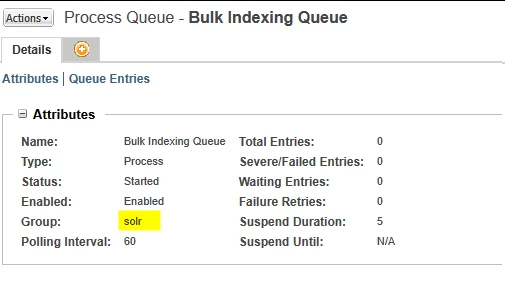
But queue is not starting.
The number of “remaining items” is stuck at 20k+ items, the number of processed Items is stuck at zero
( Site → Utilities → Indexing Administration ).
I tried “windchill wt.index.BulkIndexTool” in windchill’s hell and I got this:
Core 'wblib' is selected.
Exception in thread "main" wt.util.WTException: An exception occurred while attempting to start the queue
       at wt.method.RemoteMethodServer.invoke(RemoteMethodServer.java:823)
       at wt.index.BulkIndexHelper.startBulkQueue(BulkIndexHelper.java:299)
       at wt.index.BulkIndexTool.processStart(BulkIndexTool.java:508)
       at wt.index.BulkIndexTool.processOption(BulkIndexTool.java:570)
       at wt.index.BulkIndexTool.processAction(BulkIndexTool.java:207)
       at wt.index.BulkIndexTool.run(BulkIndexTool.java:165)
       at wt.index.BulkIndexTool.main(BulkIndexTool.java:86)
For the records: There is no working “CAD worker” yet.