
17-Peridot
September 29, 2023
Question

Windchill User Create - Custom Attributes

  • September 29, 2023
  • 1 reply
  • 1694 views

Hi Everyone,

I want a new attribute in the new user creation tab. when I tried to add the attributes, I only received the "Alias & Calculated" there I couldn't see the global attributes.


If anybody knows how to add the attributes in new user creation, please support me.

Thanks in Advance
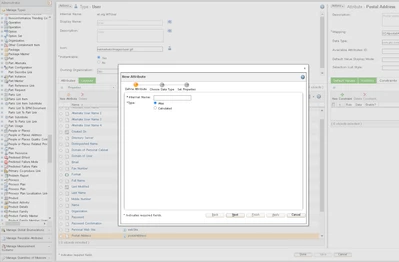
 

Amirtharaj_K_0-1695984661569.png


1 reply

avillanueva
23-Emerald I
23-Emerald I
September 29, 2023

Since the users are tied to the LDAP, its not the same to add attributes in the Type Administrator. Its documented here:

https://www.ptc.com/en/support/article/CS162357?source=search


17-Peridot
October 3, 2023

Thank you for the replay Mr. Avil
I didn't see <service.name>.windchill.mapping.user.attributes like the below image.


Amirtharaj_K_0-1696333719796.png


Regards,

Amir


17-Peridot
October 4, 2023

Good Morning Mr. Anvil,

I need more details on this JNDI adapter & how I can create this. Kindly provide the steps for this.

  1. Login to Windchill as the Site Adminstrator and navigate to Site>Utilities>Info*Engine Administrator
  2. Edit the JNDI adapter which is configured for the LDAP that contains the additional attributes you want mapped to the user
    In the Additional Properties section of the JNDI adapter properties page, add the property <service.name>.windchill.mapping.user.attributes
    enter the attributes (comma separated) you want mapped as values for this property


    Note: In 10.2 and 11.0 you need to end the value of the properties with a comma (,) to get the attributes displayed see article CS247033