Solved
Workspace appears empty
I have one new user with a strangely-acting embedded browser.
When he has CAD docs checked out to his workspace, the embedded browser shows the checked out files and only the checked out files. It shows none of the required children or formats. When he checks everything in, it instead shows nothing.
When we check the workspace in a stand-alone browser all files show up.
When we pick File > Open, all the files show up.
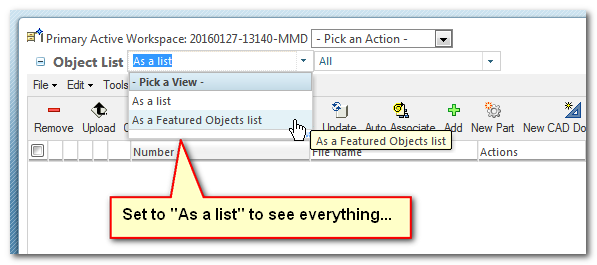
He checked the Views setting and everything is normal.
He changed the View to see if that was it but it was the same.
He created a new custom View but it was the same.
He changed between workspaces but it was the same. (One of the workspaces was relatively new.)
I'm not sure what else to try. Anybody else see this behavior?