

Customizing Action Item Attributes
Hi Team,
I have a case#15736155.
Customer creating the new attribute on New Action Item with the help of following link:
We can make the changes in existing attribute, however with new attribute Display name get append with Action Item's internal name.
Entry form <Windchill>/codebase/wt/meeting/actionitem/attributeConfig.xml
<attribute resourceKey="AccountName"
enabled="true"
order="12"
required="false"
resourceBundle="wt.meeting.actionitem.actionitemModelRB"
displayType="textBox"
internalName="AccountName"
type="java.lang.String"/>
Please refer to the following screenshot:
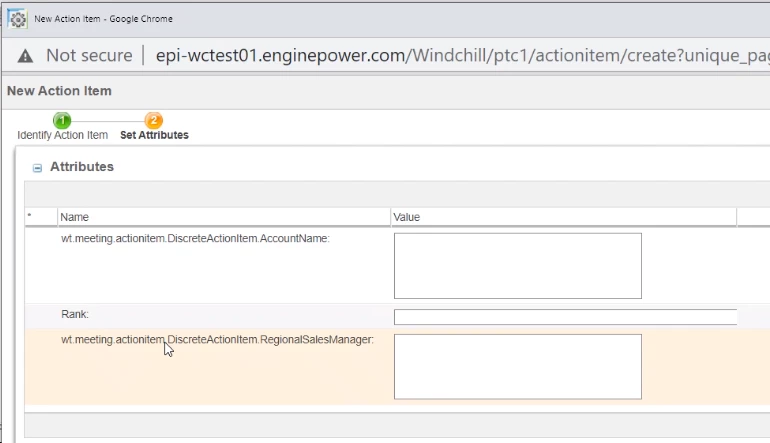
Tried with crating the entry in actionitem
@RBEntry("AccountName")
public static final String DESC_LABEL = "7";
Save the file and execute the following command to compile actionitemResource.java :
ant -f bin\tools.xml class -Dclass.includes=*.java -Dclass.source=<Windchill_home>\wtCustom\com\ptc\netmarkets\actionitem
Still it show the same, just wanted to know if I am missing anything or is it work to spec, if yes, then the reason behind it.
Regards,
Amar