16-Pearl
August 18, 2017
Solved

Home - Actions Group WC11

  • August 18, 2017
  • 1 reply
  • 2259 views

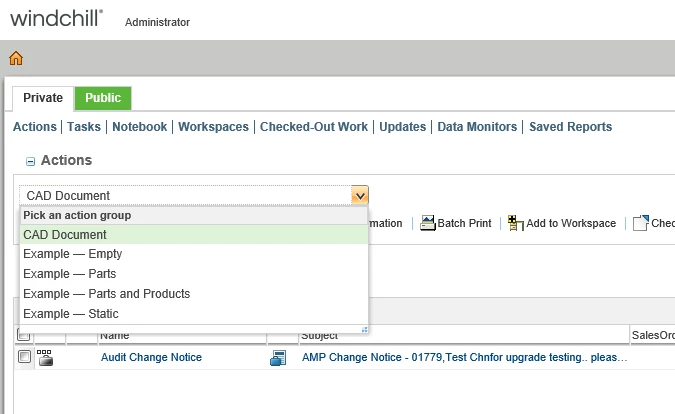
Does anyone know how to hide the example action groups supplied with Windchill 11 M030. 
2017-08-18_0617.png

Best answer by BjoernRueegg

This is a little bit strange programmed from PTC. As soon you have the "Client Customization" enabled in the preference, the 4 Examples are displayed. As soon you hide it, those 4 examples won't show up anymore.


There is also a xconf where you can delete the examples, but it's not really necessary. 

1 reply

15-Moonstone
August 18, 2017

@GregOlson,

Isn't Actions appearing in the Customize drop-down menu on the right side of the page?  I don't have it in mine because maybe you have some different module installed that I don't have??


2017-08-18_6-23-13.jpg

GregOlson16-PearlAuthor
16-Pearl
August 18, 2017

Ben,

Yes you can hide the table...what I want to do is keep the table.  I have created a custom action group (CAD Documents), and what to hide the 4 examples that came with the software.

17-Peridot
August 18, 2017

This is a little bit strange programmed from PTC. As soon you have the "Client Customization" enabled in the preference, the 4 Examples are displayed. As soon you hide it, those 4 examples won't show up anymore.


There is also a xconf where you can delete the examples, but it's not really necessary.
