6-Contributor
July 13, 2026
Solved

How can I launch the create wizard for a WTPart soft type without the context step?

  • July 13, 2026
  • 5 replies
  • 115 views

I need to create a create wizard for soft type WTParts, but I want to skip the context selection step (by pre-selecting it) and start directly from the subsequent screen.
However, no matter how I configure `custom-actions.xml`, I can't figure it out.
Could you tell me how to solve this?
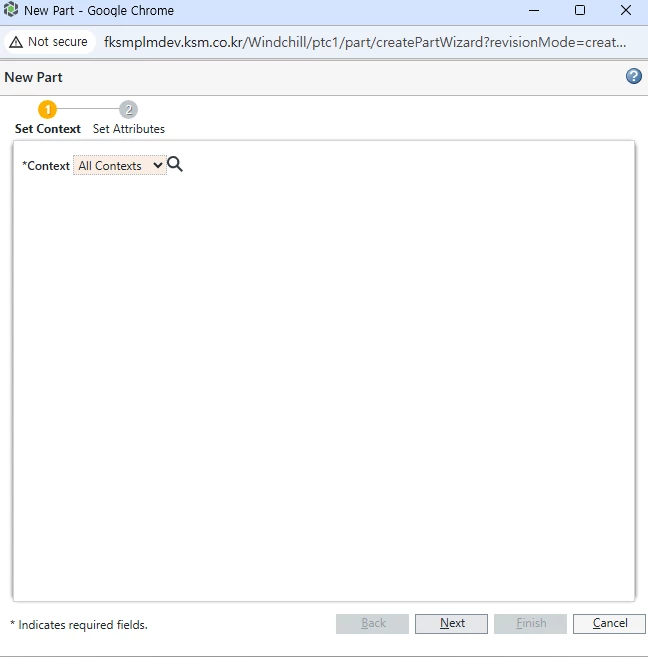
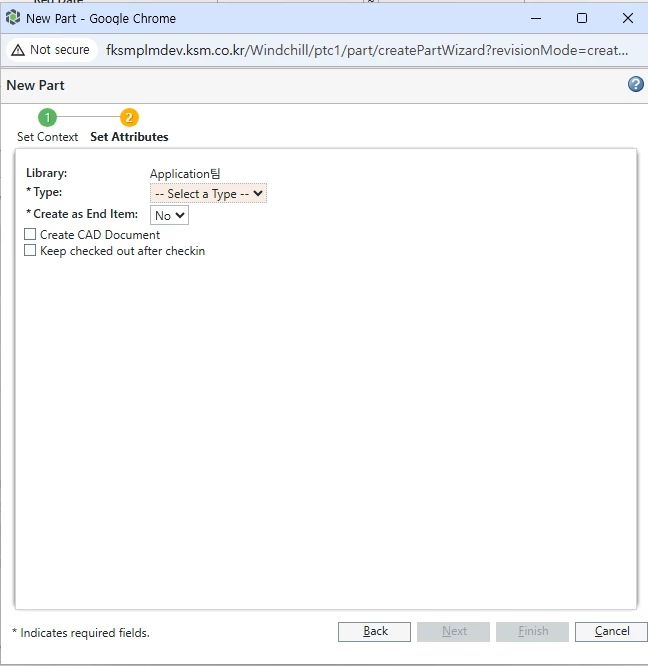
 

need to skip


I would like the pop-up window to launch immediately at that stage.


Best answer by Fadel

you have to specify the OID of folder in URL %24&oid=OR%3Awt.folder.Cabinet%3A8827238

5 replies

17-Peridot
July 13, 2026

Hi ​@YC_9410522,

Are you accessing the Create Part action from the Workspace?

Fadel
23-Emerald II
July 13, 2026

you have to specify the OID of folder in URL %24&oid=OR%3Awt.folder.Cabinet%3A8827238


Buiꓘa
Fadel
Fadel23-Emerald IIAnswer
23-Emerald II
July 13, 2026

you have to specify the OID of folder in URL %24&oid=OR%3Awt.folder.Cabinet%3A8827238

Buiꓘa
6-Contributor
July 13, 2026

it works! thanks a lot

20-Turquoise
July 13, 2026

I have commented out the several “<jca:wizardStep action="setContextWizStep” ...” steps in codebase/netmarkets/jsp/part/createPartWizard.jsp to accomplish this.
 

Simply look for any “<jca:wizardStep action="setContextWizStep” ...” line in the createPartWizard.jsp file and comment it out.