
3 replies

18-Opal
Oct 16, 2026 8:50 AM UTC

Hi ​@Mjay,

Could you please provide more details? Is your requirement to customize the behavior based on the task form type?

Translate
Mjay6-ContributorAuthor
6-Contributor
Oct 16, 2026 1:26 PM UTC

Hi, thank you for your response.

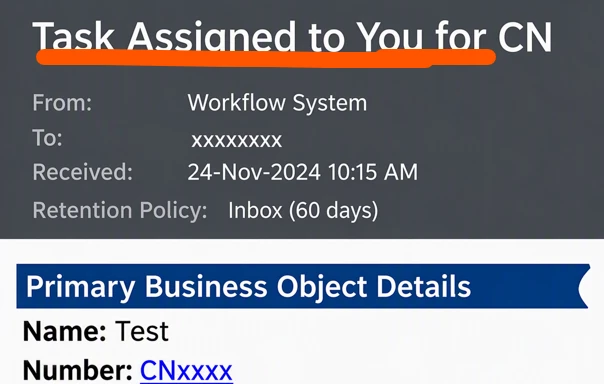
The requirement is not specifically based on the task form type. For one particular workflow task, the customer wants to customize the email notification subject.

The expected subject format is:

“Task Assigned by XXX Team - CNXXXXXX”

Here:

  • XXX Team represents the team associated with the particular task.
  • CNXXXXXX represents the Change Notice number of the Primary Business Object.

I referred to CS94124 and the related PTC Community discussion regarding workflow email template customization. I am trying to understand the best approach to apply this subject customization only to the particular workflow task without affecting other workflow task notifications.

 

  • PTC Article CS94124:
    https://www.ptc.com/en/support/article/CS94124

  • PTC Community: Old topic revisited – Customizing Workflow Email Templates:
    https://community.ptc.com/windchill-customization-438/old-topic-revisited-customizing-workflow-email-templates-111588


Translate
HelesicPetr
22-Sapphire II
Oct 19, 2026 7:32 AM UTC

Hi ​@Mjay 

If you do not want to do some deep customization then the template change is only the way you can modify the notifications. 

If you want to do a change only for one task notification it is complicated but possible by modifying all workflows. 

You can add a parameter to a workflow and put own value based on your needs in the workflow by yours code

then use this attribute in the template

<SCRIPT LANGUAGE=Windchill> <!-- getProcessVariable varName="emailSubjectFromWorkflow" --> </SCRIPT>


PetrH


Translate
