Solved
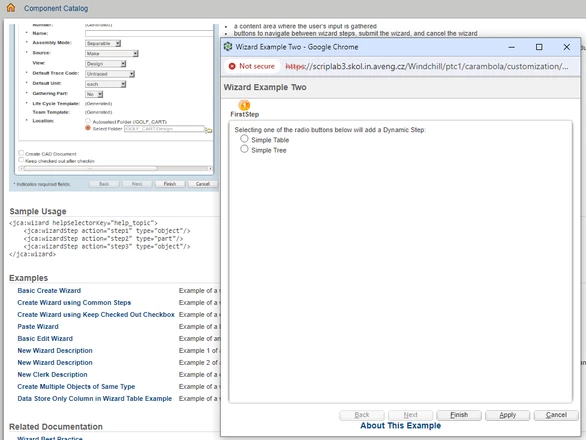
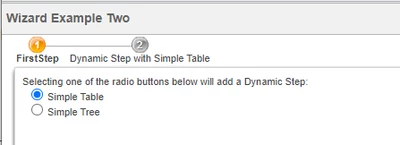
How to dynamically add or remove Wizard Steps
I am creating a custom action for a report based on Time period selected in first step, using this to create report for specific time in second step. I have created multiple JSPs based on time selection to show user. But I can see all steps in wizard steps are not getting dynamically hidden.
Custom Actions :
<objecttype name="object" class="wt.fc.Persistable">
<action name="Dashboard">
<command url="Dashboard.jsp" windowType="popup" class="DashboardProcessor" method="execute"/>
</action>
<action name="Dashboard_Step0" afterVK="CheckDashBoardReportTimePeriod" >
<label>Select Time Period</label>
<command url="Dashboard_Step0.jsp" windowType="popup" />
</action>
<action name="Dashboard_Step1" preloadWizardPage="false">
<label>Product Registration Transactions</label>
<command url="Dashboard_Step1.jsp" windowType="wizard_step"/>
</action>
<action name="Dashboard_Step2" preloadWizardPage="false" >
<label>Transactions Report</label>
<command url="Dashboard_Step2.jsp" windowType="wizard_step"/>
</action>
</objecttype>
Dashboard.jsp :
<jca:wizard title="Product Transaction Status History" buttonList="DefaultWizardButtons">
<jca:wizardStep action="Dashboard_Step0" type="object" label="Select Time Period" />
<jca:wizardStep action="Dashboard_Step1" type="object" label="Transaction Status" />
<jca:wizardStep action="Dashboard_Step2" type="object" label="Transaction Status for Last 2 Months" />
</jca:wizard>
Dashboard_Step0.jsp:
<%
// Define internalValues and displayValues as ArrayList objects
ArrayList<String> internalValues = new ArrayList<String>(Arrays.asList("1", "2", "3","6", "12"));
ArrayList<String> displayValues = new ArrayList<String>(Arrays.asList("Last Month", "Last 2 Months", "Last 3 Months","Last 6 Months","Last Year"));
%>
<P>
<H4>Select the type of rendering:</H4>
<w:comboBox name="combobox" onchange="switchDynamicStep(this)" internalValues="<%= internalValues %>" displayValues="<%= displayValues %>" />
</P>
<script language="javascript">
function switchDynamicStep(el){
if (window.document.getElementById("WIZARDTYPE") &&
window.document.getElementById("WIZARDTYPE").value == "wizard") { // Dynamic steps are not applicable for clerk
if (el.value === "2") {
insertStep("Dashboard_Step2");
if (typeof wizardSteps['Dashboard_Step1'] === 'undefined') {
removeStep("Dashboard_Step1");
}
}
if (el.value === "1") {
insertStep("Dashboard_Step1");
if (typeof wizardSteps['d365IntegrationDashboard_Step2'] !== 'undefined') {
removeStep("Dashboard_Step2");
}
}
}
}
</script>
Here removeStep is not working Is there any other way to achieve this.