13-Aquamarine
April 10, 2024
Question

How to query attachments in a document's Notebook section (QueryBuilder and/or QuerySpec methods)

  • April 10, 2024
  • 1 reply
  • 1236 views

In one of our processes for a Document, the user is expected to upload an attachment into the Document Notebook section (in a particular folder).  I am trying to learn the tables involved to report on such an upload and potentially determine that one has or has not been done prior to a workflow task being completed.


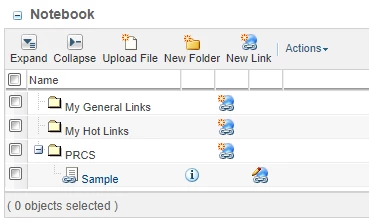
Ex:  For a Notebook such as below...
RFS_0-1712771353273.png

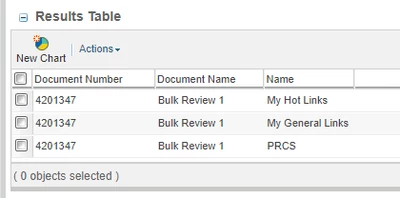
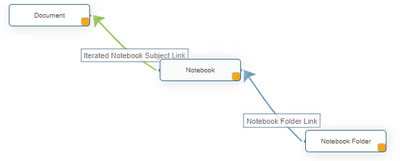
... I can create a QB report to get the Document and Notebook folders...
RFS_1-1712771433593.png

RFS_2-1712771474011.png


... but I cannot find which table to add so that I can report the "Sample" attachment from the first image.


Help?


1 reply

Marco Tosin
21-Topaz I
21-Topaz I
April 11, 2024

You can find the name of document on ApplicationData table.


Marco
RFS13-AquamarineAuthor
13-Aquamarine
April 11, 2024

Hi Marco.  I can attach the Application Data table to the Document via the Holder to Content link type and see the primary or secondary content files.  But where do I link it to see the Notebook uploads?  The Notebook and Notebook Folder tables don't give a suggested link type between themselves and Application Data (Holder to Content is not available).  


I have figured out how to list other content such as the Bookmarks, but still cannot find the uploads.

RFS_0-1712864790849.png


Marco Tosin
21-Topaz I
21-Topaz I
April 12, 2024

Unfortunately, I do not use Notebooks so I cannot verify how to link the tables together.
I can point you to an article to help in understanding the links between tables/objects.


Understanding Database tables relationships to generate Queries or build Reports in Windchill PDMLink


Marco