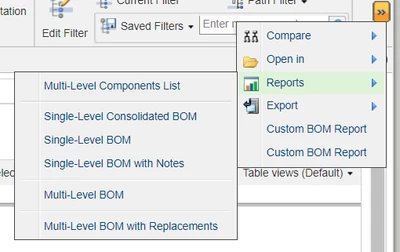
10-Marble
May 29, 2024
Solved

I am facing an issue with one custom action

  • May 29, 2024
  • 1 reply
  • 1207 views

Hi , 

I am facing an issue with one custom action, Somehow action misplaced in wrong model but even after adding in correct model (psbRelatedPartsTreeToolBar ) that action is not populating in required model is getting added again on same place where it was earlier and in my action there no custom class we have custom JSP over there .


Requirement : "Custom BOM Report" action should be under report section below the "Multi-Level BOM with replacement" action
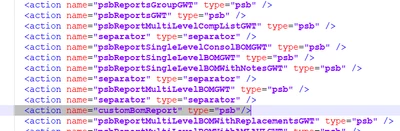

 

VK_10867550_0-1716971424037.png

VK_10867550_1-1716971540913.pngVK_10867550_2-1716971601646.png


Best answer by New_10867550

Hi HelesicPetr,

Thank You for your quick response & I got the solution on it 

for that I followed the below mentioned help center article 
 https://support.ptc.com/help/windchill/r12.1.2.0/en/index.html#page/Windchill_Help_Center/customization/WCCG_BusLogicCust_ReportGeneration_ReportSelection.html


Please find Attached Snapshot here , I have added custom action under Reports section of Structure tab which are PSB actions.

New_10867550_0-1717059902641.png


1 reply

HelesicPetr
22-Sapphire II
22-Sapphire II
May 29, 2024

Hi

Rename the action name that name ends with GWT
PetrH
10-Marble
May 29, 2024

Geetting same output even after renaming , reloading actions and restarting windchill

Action:  <action name="customBomReportGWT" ajax="component">

Model Action :  <action name="customBomReportGWT" type="psb"/>

HelesicPetr
22-Sapphire II
22-Sapphire II
May 29, 2024

Hi @New_10867550 

There is one trick how to move the action to the group. 

here is an example


<action name="ReportAVGWT" type="AVENG">
 <ribbonInfo buttonType="menuitem"/> <!-- AVENG CUSTOM desinition that button is in the group menu reports-->
</action>


From Widnchill help

Customizing Part Structure Browser Actions Toolbar

HelesicPetr_1-1716990721592.png

PetrH