
17-Peridot
January 3, 2018
Question

Windchill "Open filtered CAD document structure in Creo View" on EPMDoc Content tab

  • January 3, 2018
  • 1 reply
  • 1815 views

All,

Are you using this functionality in Windchill, if so what are your results?


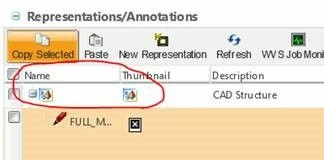
Using “Open filtered CAD document structure in Creo View” shown in the image below for unpublished files, opens incorrect assembly structure. It tries to open the Creo Views files for the parts that it did publish and assembles them using the default coordinate system (or something like that) which is definitely not how they are assembled in Creo.


This create an incorrect viewable that people could accidently start using to create media, redlines, assembly instructions, etc.…… I am suggesting we investigate the how to turn off these links.


We are not using Positioning Assemblies yet.
 

windchill.jpg

1 reply

jbailey
18-Opal
January 3, 2018

We use it.. Starting to delve into some advanced functionality.  Essentially, the viewable is created based on some sort of configuration (as stored, by baseline, checked in, etc) and you would configure how it would be published.  Then the CAD worker , when an action that would cause publishing to happen, would use the credentials the site admin specified to download, and create the viewable file and then attach all the files properly.


The only time we have issues is when we get a large file or a file with a bunch of errors and it times out on publishing.

jbailey
18-Opal
January 3, 2018

Also,

There are some settings to prevent windchill from copying forward markups after a revise or a save-as


This is only for revise....
xconfmanager -s publish.copyforwardallrepresentationsonrevise=false -t codebase/WEB-INF/conf/wvs.properties -p


this is for all instances, including revise and save as
xconfmanager -s publish.copyrepresentationsforward=false -t codebase/WEB-INF/conf/wvs.properties -p