1-Visitor
February 20, 2020
Question

Workflow role is not working

  • February 20, 2020
  • 1 reply
  • 3566 views

Hello,

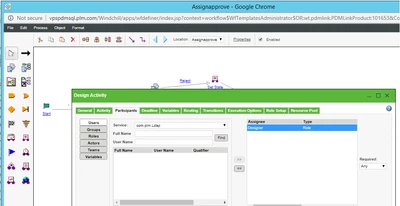
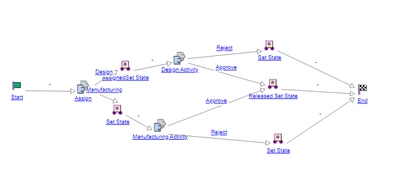
  I have created one simple workflow in that second activity i have selected designer as participant role .But when i select participant particularly it wont send task to assigned role user.But when we select individual user it will work properly.

In role i have selected required < any. It assigned to creator itself.
bkulkarni_1-1582196110734.png


bkulkarni_0-1582196067144.png


1 reply

22-Sapphire I
February 20, 2020

The workflow process needs to find the user(s) assigned to the Designer Role at the time that activity is fired.

Easiest and simplest way to test is to add that Role to the Product/Library where the workflow is running and assign a user to that Role in the Product/Library context team.

More complex can involve the team assigned to the PBO object (e.g. change request) via OIR, but get confidence using the context team Roles first.

Assign more than one user to the role in the context team and see that all get the task and any can complete it.

Experiment with assigning a group (Org level) the context team role and see that all in that group get assigned the task.

bkulkarni1-VisitorAuthor
1-Visitor
February 21, 2020

Hello,

  Thanks for reply but it resolved i have added that role in Default team template and works fine afterwards.From utilities < team administration < Default team template < add role

12-Amethyst
April 30, 2020

Hello,

could you precise which Windchill version you are working and why you choose this solution? Was it "simply" the result of a test? We have a similar case, but could not find any relevant information in the PTC's documentation.

Thanks