10-Marble
August 14, 2023
Solved

Filter Drawings by state

  • August 14, 2023
  • 1 reply
  • 1652 views

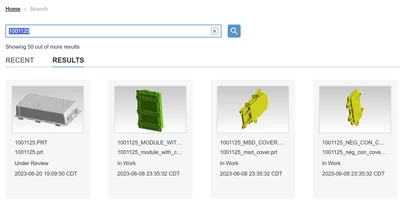
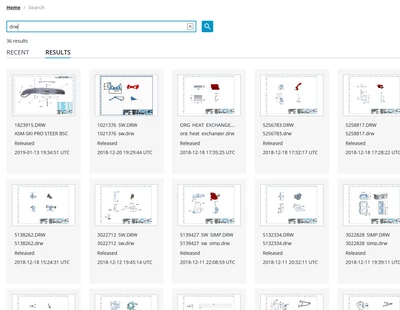
Objective: I want to see list of drawings that are in 'PRODUCTION' state only. I've changed the Lifecycle State filter to include only 'Production', but after I run the search, I see drawings in different states such as 'In Work' , 'Under Review' and 'Production' etc. Is there anything that I'm missing related to the filter?

RG_10753677_0-1692044046563.png

RG_10753677_1-1692044236175.png


Best answer by ThorstenMueller

Followed the exact same steps, and in my environment it works as expected
(set the lifecycle filter to released - and only receive released in the result set)
ThorstenMueller_0-1692083196431.png

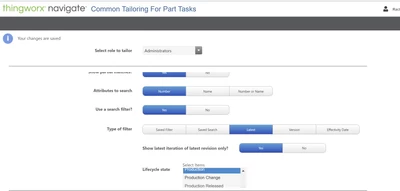
In your screenshot you are setting the search criteria for the group "Administrators".
Are you also searching with a member of this group?
Additionally it would be helpful to know which version of Navigate you are using.
Here's a TS article describing the whole process: https://www.ptc.com/en/support/article/cs392060
But it seems you have been following the steps correctly.
One thing that you can test is, to set multiple lifecylce states by selecting more than one state in the filter list. Then a dropdown list should appear in the search. (as shown in the arcticle)
Just to see if this changes the behaviour and if the filter is applied at all.

1 reply

13-Aquamarine
August 15, 2023

Followed the exact same steps, and in my environment it works as expected
(set the lifecycle filter to released - and only receive released in the result set)

ThorstenMueller_0-1692083196431.png

In your screenshot you are setting the search criteria for the group "Administrators".
Are you also searching with a member of this group?
Additionally it would be helpful to know which version of Navigate you are using.
Here's a TS article describing the whole process: https://www.ptc.com/en/support/article/cs392060
But it seems you have been following the steps correctly.
One thing that you can test is, to set multiple lifecylce states by selecting more than one state in the filter list. Then a dropdown list should appear in the search. (as shown in the arcticle)
Just to see if this changes the behaviour and if the filter is applied at all.
10-Marble
August 15, 2023

Yes, I had to select multiple lifecycle states for the dropdown to be shown in the search, and then it worked out.  Not sure if this will be accepted as a permanent fix in my use case, but really thanks for your help.