12-Amethyst
May 14, 2021
Solved

Navigate 9.1 Install guide link refers to Navigate 9.2 Install guide

  • May 14, 2021
  • 1 reply
  • 6853 views

I searched for navigate 9.1 Install guide via Reference Files Search.

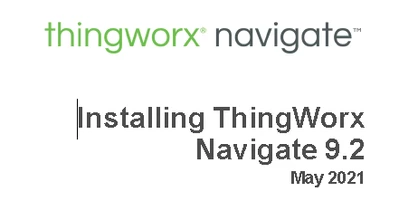
When I opened English link for it, Navigate 9.2 Install guide opened.

9.2 is not released yet and installation is very different that 9.1.

https://www.ptc.com/en/support/refdoc/ThingWorx_Navigate/9.1/Navigate_Installation_Configuration_PDF?&art_lang=en&posno=3&q=&DocumentType=Reference%20Document&Product=ThingWorx%20Navigate&Release=9.1&source=search 


Please correct the link.

2021-05-14 18_53_01-Installing ThingWorx Navigate 9.2 - Adobe Reader.png

Best answer by barko

The link that you supplied brought me to the Navigate 9.1 Install Guide. To make things easier, I have attached a copy of the Navigate 9.1 Install Guide to this conversation, so you should be able to download it directly from here.

1 reply

barko16-PearlAnswer
16-Pearl
May 14, 2021

The link that you supplied brought me to the Navigate 9.1 Install Guide. To make things easier, I have attached a copy of the Navigate 9.1 Install Guide to this conversation, so you should be able to download it directly from here.

12-Amethyst
May 17, 2021

Thanks for reply and proper 9.1 guide.

Unfortunately, for me, I still get 9.2 manual. I think you have some load balancing in place and where I download manual from, there is wrong version of it.

There are both, 9.1 and 9.2 install flow charts below, as you can see, 9.2 also needs ThingWorx Flow.


Installing ThingWorx Navigate 9.1 - Adobe Reader.pngInstalling ThingWorx Navigate 9.2 - Adobe Reader.png

Community Manager
May 17, 2021

Hi @TomazJeras.


You might try clearing your browser cache.


Regards.


--Sharon