
1-Visitor
September 27, 2017
Question

Parts List (SIM) Contents in Thingworx Navigate

  • September 27, 2017
  • 2 replies
  • 2601 views

Hi,


I tried to load a parts list in Navigate, created in Service Information Manager and found below issues.


1. Graphical contents created in Creo Illustrate is not getting displayed

2. Parts List structure created in SIM is not getting displayed

3. Number of character's in Name field is limited


Please let me know how to resolve these issues,
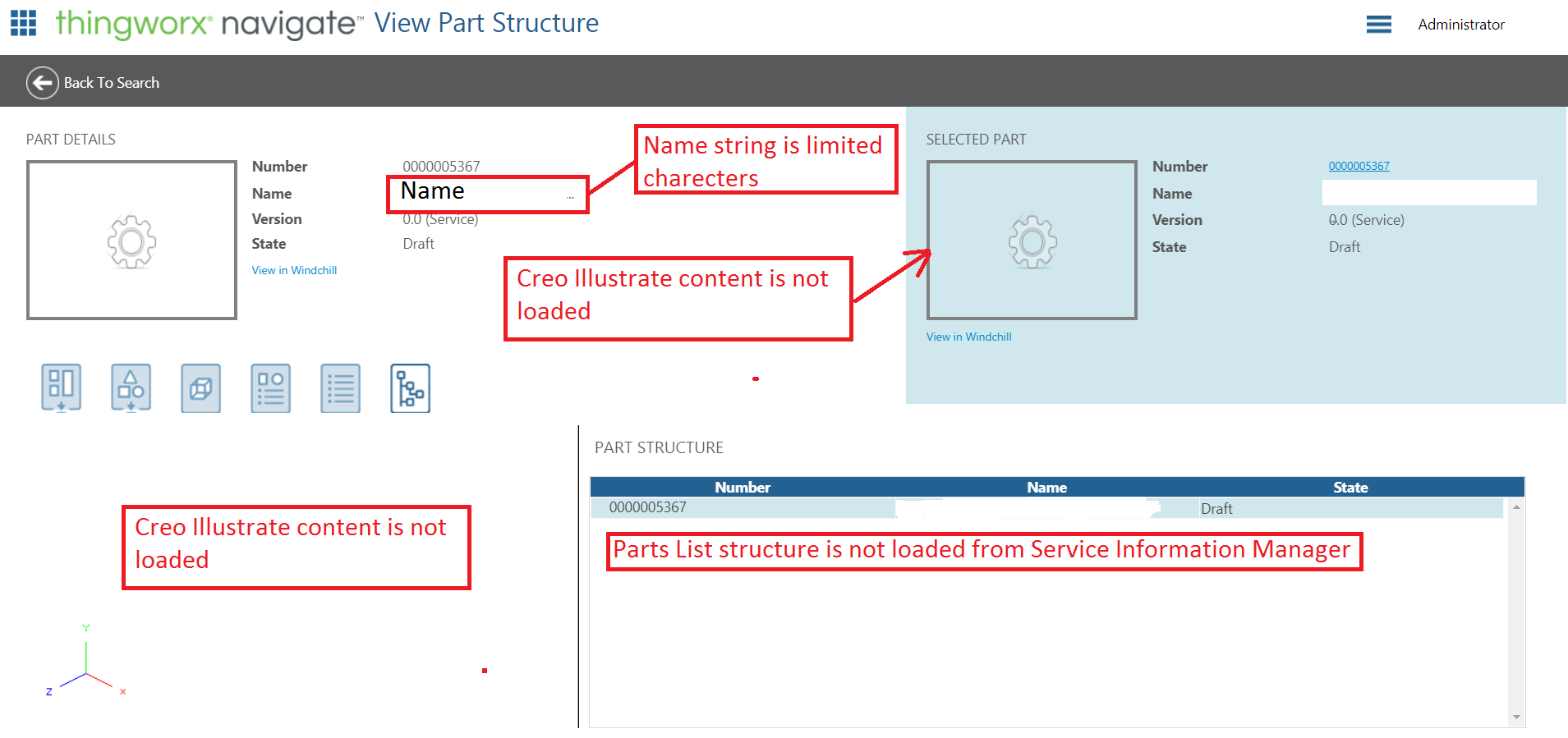
 

Parts List_SIM Contents in PTC Navigate.png

Regards,


Thadeus.D

2 replies

12-Amethyst
September 27, 2017

The Creo View problem you are facing (by looking at your screen shot) likely because of productToView value is incorrect. You may want to check that first. I would also deleted any other URL value in other parameters. to make sure it is not colliding/appending to it.

1-Visitor
September 28, 2017

I have checked the PartStructureAccessAppMashup and below is the screen shot.

Is there anything I have to modify in this.

Regards,

Thadeus.D

12-Amethyst
September 28, 2017

Hi,

1. Were you able to get the Creo View widget displaying the animation or structure? If I remember correctly, I was using the same URL which launches the Creo from Windchill.

2. On the part structure tree, were you getting data when you test those services individually? I usually make sure my services works first.

Thanks,

Varathan