
1-Visitor
February 7, 2020
Solved

ptc-windchill-integration-connector not seen in thingworx composer

  • February 7, 2020
  • 2 replies
  • 2433 views

Hello,

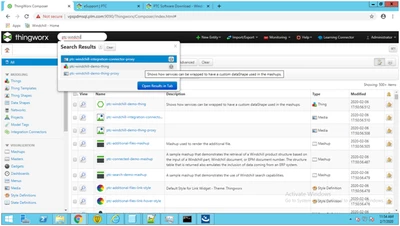
I have imported all extension in thingworx but in thingworx composer ptc-windchill-integration-connector is not seen.from any where i need to download it.Please find snap of composer.


bkulkarni_0-1581056687940.png


Best answer by Shripad

 Hi ,


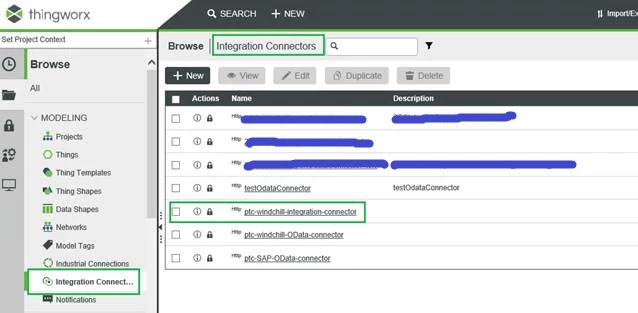
When you login to the composer, if you brose the options you will see Integration Connectors under which the mentioned connector will be visible.

If not  you can simply use the spotlight search(top most search field in the composer) and type this connector name  " ptc-windchill-integration-connector ". If you have proper admin rights you will be able to search this.


ptc-windchill-integration-connector.png


Best Regards,

-Shripad

2 replies

15-Moonstone
February 7, 2020

Hello,


You need to import ThingWorx-Navigate-Example-1.6.0-01.xml.

See doc :


http://support.ptc.com/help/navigate/16/en/#page/ThingWorx_Navigate%2FNav_PLM%2FNav_PLMAppInstallIntro.html%23


Step 6. Browse to ThingWorx-Navigate-Example-{version}.xml, and click Import.

Shripad1-VisitorAnswer
1-Visitor
February 7, 2020

 Hi ,


When you login to the composer, if you brose the options you will see Integration Connectors under which the mentioned connector will be visible.

If not  you can simply use the spotlight search(top most search field in the composer) and type this connector name  " ptc-windchill-integration-connector ". If you have proper admin rights you will be able to search this.


ptc-windchill-integration-connector.png


Best Regards,

-Shripad