

View secondary content as a Drawing with OOTB Navigate?
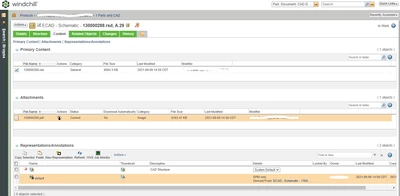
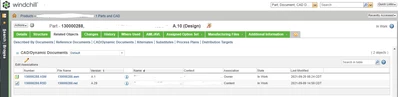
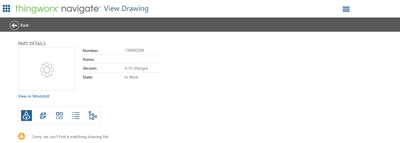
Does anyone have a solution to view a Creo Schematic as a "Drawing" with Thingworx Navigate? I have the .rsd file related to the WTPart has a content link and I have a CAD object as owner to drive the schematic part number into the BOM. When the schematic is checked in a pdf is generated and attached as secondary content "attachment" to the ecad object. See images below. In our manufacturing facility we haven't had a good adoption of creo view. The view a drawing app with the PDF opening in the browser is preferred. This is fine for the OOTB where creo and solidworks drawings have pdf's as part of the representation but I'm having difficulty presenting the schematic with the same application in thingworx. What if anything can be changed in the Thingworx composer to force it to pull secondary content if the object that is content is a .rsd?
Environment Details (PTC Cloud Hosted)
Windchill PLM 11.1 M020 CPS13 (orgadmin access)
Thingworx Navigate 8.5.8 (navigateadmin access)