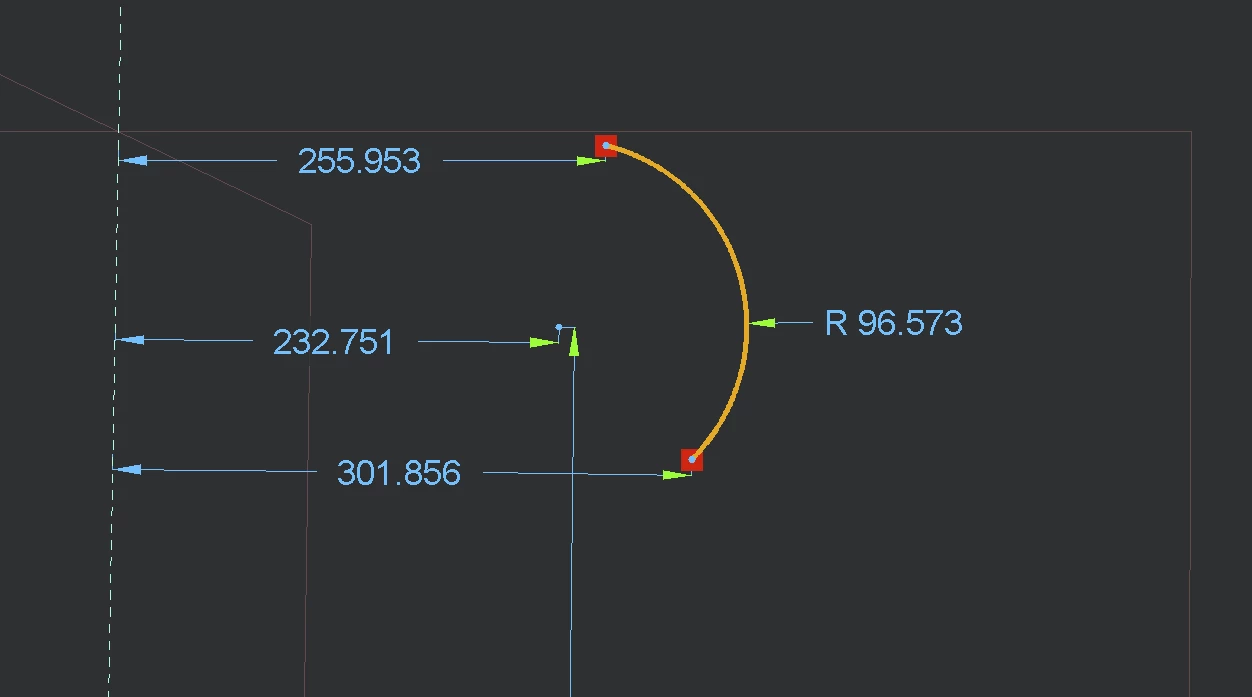
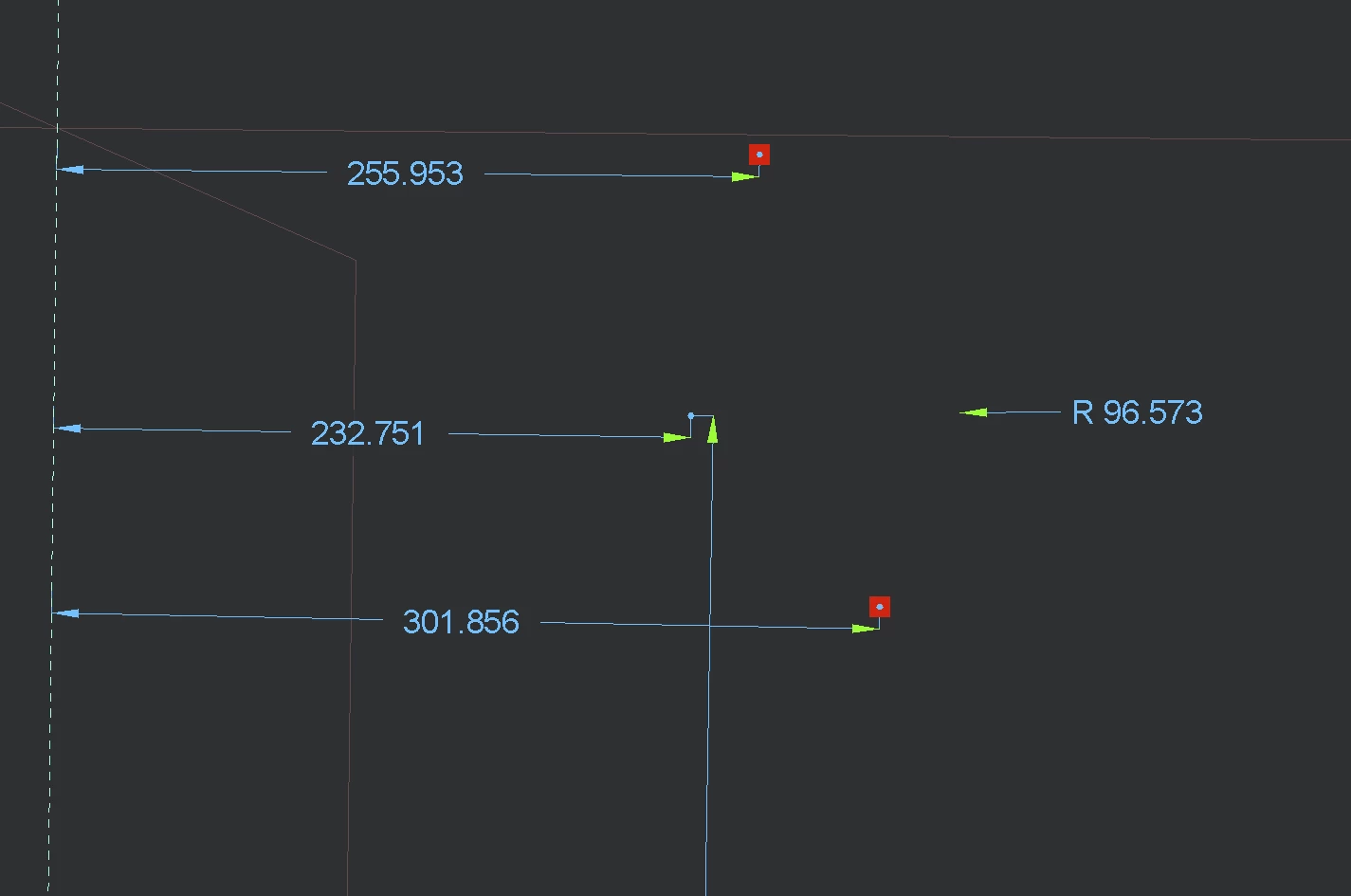
Arc lines not showing when sketched, at ragular zoom
Hey there,
Issue: when sketching an arc, creo will not show the expected curve, only its end points. (Same for circles, then just its center point)
The line becomes visible when zooming out (sometimes quite a bit), but I can not work with that – I need to see my lines. As far as I know that behaviour is to be expected for small sized sketches and/or far zoom-ins. My issue however is happening regardless of the dimensions, only dependent on zoom level and not heavily zoomed.
This behaviour is new, it started this afternoon with no apparent reason.
Details:
- creo 12.4 Educational, I have about one year experience using creo, using it frequently
- Windows 11
- Dell XPS 17 from 2020, screen resolution at 3840x2400
- GPU 0 (NVIDIA GeForce RTX 2060) + GPU 1 (some Intel UHD Graphics)
- config.pro: Graphics on win32_gdi (open_gl will render viewport into a black screen)
Today I did add a second screen for a brief moment and adjusted the Windows Display Scaling from 250% to 100% and back to 250%. I am not sure if my issue was there before, I noticed it sometime after. Creo was not started yet when I did change the Windows Display Scaling.
I am not aware of any other change besides this. I am also not sure whether the display scaling could be related to the issue, since I know Creo to occasionally behave in unexpected ways on my machine anyways...
Need any more info?