Dale_Rosema
23-Emerald III
23-Emerald III
May 29, 2025
Solved

Assembly Cut Stopped Working

  • May 29, 2025
  • 3 replies
  • 1892 views

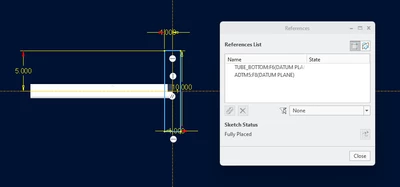
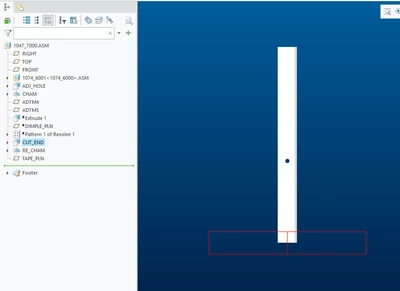
I have an assembly cut that has stopped working no matter how much I fidget with it. I've tried redefining the planes in sketch set-up, reference planes, adjusting the dimensions, restarting Creo, ....


If I add a new cut, the cut works fine.
 

Dale_Rosema_0-1748529706016.png


Dale_Rosema_1-1748529722252.png


There are 50 instances in the family table, so if I can help it, I would like to not redo the cut.


Using 10.0.7.0 for a long time.

Best answer by Chris3

Its possible I right clicked on the one in the box and removed it before turning it back on.

3 replies

Chris3
21-Topaz I
May 29, 2025

Reproduced in Creo 11.0.0.0 upon open.


I turned off automatic update, turned it back on and it worked. If it continues to be a problem maybe you could turn off automatic update and just manually select the components if that works for your work flow.


Screenshot 2025-05-29 113138.png

Dale_Rosema
23-Emerald III
23-Emerald III
May 29, 2025

I tried toggling "Automatic Updates" to no avail.

I tried turning off Automatic Updates, exiting the command, opening it back up and turning Automatic updates back on - no success.

I tried opening an instance and repeated the (2) steps above and it still will not cut.

I tried verifying all the instances in the family table ....

23-Emerald III
May 29, 2025

like @Chris3  said, I have the problem semi-regularly/randomly. I have recently turned off the whole automatic intersection by default so I have to choose what gets cut...I don't know if that will help in the long run or if I am just confusing co-workers.

Dale_Rosema
23-Emerald III
23-Emerald III
May 29, 2025

How do you "choose" what gets cut...

Chris3
21-Topaz I
May 29, 2025

You click the add intersected models button. See above screenshot.

23-Emerald III
May 29, 2025

@Dale_Rosema .Did you get it fixed?

When I opened the model, I saw exactly what you saw. 

I edited the cut,  unclicked the "automatic updates" and then RMB removed the part selected.

Then I reselected the part manually. Ok Done. Seems to be working fine...I have no idea why it does this. I also avoid assembly cuts where possible. I'll jump thru 100 hoops to skip 1 assy cut. Years ago I did a small test on an assembly (probably Wildfire 2) and the time penalty alone was significant. With large assemblies, it's horrible and then these random odd things make for extra reasons to find a different way.

StephenW_0-1748543359278.png


Dale_Rosema
23-Emerald III
23-Emerald III
May 29, 2025

Uncheck Automatic Update

Remove Models from Intersected Models

Exit out of operation.

Open up the operation.

Check Automatic Updates

Violà - it worked  (For now at least  🙂 )


Dale_Rosema
23-Emerald III
23-Emerald III
May 29, 2025

.... for now....


I ended up repeating this process with each feature in the tree.....


Dale_Rosema_0-1748546033843.png