
10-Marble
July 12, 2017
Question

Assembly parameter to set a part parameteres

  • July 12, 2017
  • 1 reply
  • 4259 views

I have two parts in an assembly, both of these were modeled up invidually with their own set of parameters which again drives dimmensions in the part


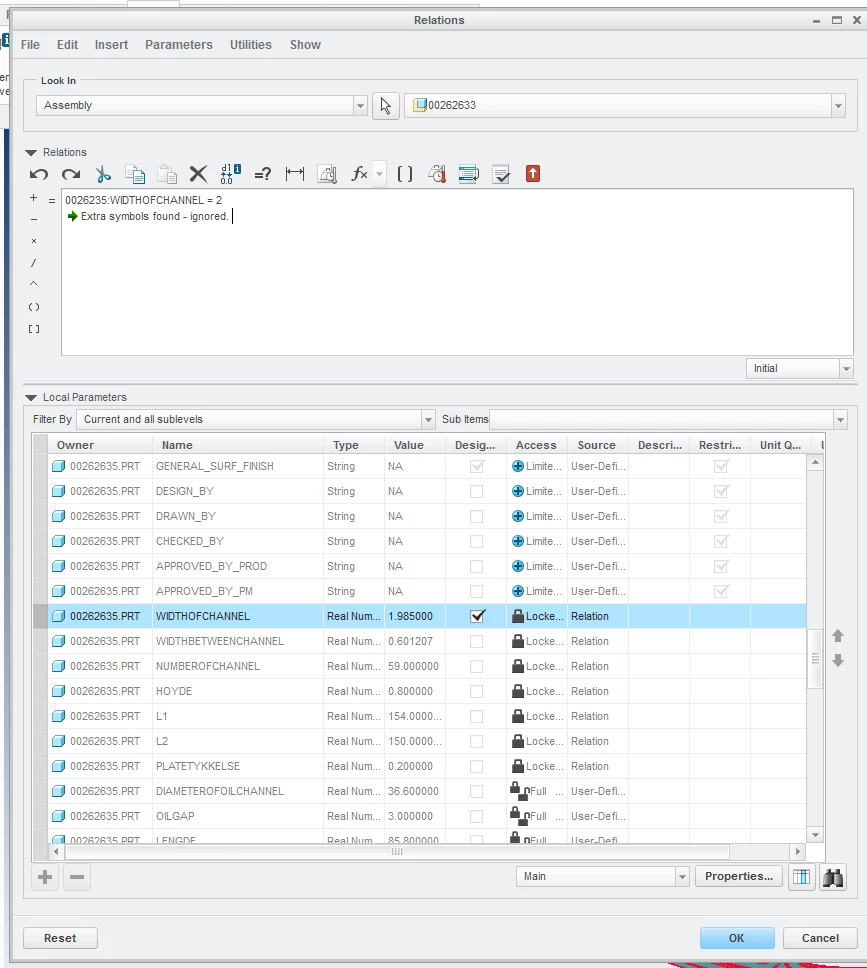
Can i somehow set OuterDiameter parameter in assembly to drive outerdiameter parameter in the two parts,(both parts have 50+ relations that is dependent of this diameter). Normally you would set d11:2 = outerdiameter and d11:4 = outerdiameter, but this does not work for me, because I do not have a 1:1 dimension of the outerdiameter, but this parameter drives other dimmension after some calculations. See screenshot below:Screenshot_7.png
1 reply

24-Ruby III
July 12, 2017

Hi,


select parameter name in Relations dialog box (in Parameter list), click right mouse button and use Insert to Relations command.

insert.png


In my test P1P:0 text was added into relations editing area.

I created P1P:0=444 relation and it works.


MH

kskatun10-MarbleAuthor
10-Marble
July 12, 2017

It helped , but somehow the parameter does not get updated in the part:


Screenshot_15.png

1-Visitor
July 12, 2017

I don't know the logic in your relations works, so I just want to point out that:

- your expressions look correct, so they should work.

- maybe it takes several regenerations for the system to fully solve the assembly.  That is not a good sign, but might be acceptable

- you might need to explore ways that the AREALMY parameter can be reset by some relation that exists in the part model and that is obscured by being inside a feature relation set, or in the "post-regeneration" relation set for the part (this is accessed by that drop-down in the lower right hand corner of the relation editing area)...