
1-Visitor
February 18, 2021
Solved

Auto axis utility in Creo 3

  • February 18, 2021
  • 3 replies
  • 3830 views

Does anyone know if you can load the auto axis utility in Creo 3?  If so, how do you do this?  We had it in Creo 2 and now it is gone in Creo 3.  Plus when I try to register the Creo 2 one I'm using in Creo 3 it says it can't run it.  I've also tried adding the prodev.dat to the config and it won't stay saved in there.  Can anyone help?  
Best answer by MartinHanak

@sstrehlow wrote:

I installed it and put the path on my config file and now I'm getting this error.

sstrehlow_0-1613762041698.png

I noticed the article you referenced below says maintenance only article.  Do you have to continue with maintenance for this toolkit to work?


Hi,

  • I downloaded 09114614_0QwP.zip
  • I unzipped it into E:\users\creo3_parametric
  • I renamed Auto Axis 3.0 directory to Auto_Axis_3
  • I modified the contents of Auto_Axis_3\protk.dat file
    • exec_file E:\users\creo3_parametric\Auto_Axis_3\x86e_win64\pt_autoaxis.dll
    • text_dir E:\users\creo3_parametric\Auto_Axis_3\text
  • I added following line into config.pro file
    • protkdat E:\users\creo3_parametric\Auto_Axis_3\protk.dat
  • I started Creo Parametric 3.0 M190 64bit
  • Auto Axis 3.0 is running
  • I tested Auto Axis 3.0 using simple STEP file ... it works well


3 replies

Dale_Rosema
23-Emerald III
February 19, 2021

Not sure about auto axis, but if you are trying to run a Creo 3.0 part in Creo 2.0, Creo is not backwards compatible.

sstrehlow1-VisitorAuthor
1-Visitor
February 19, 2021

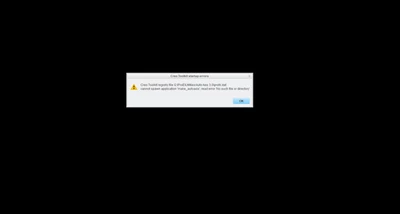
I am not trying to run a Creo 3 part in Creo 2.  What I'm describing is a utility/auxiliary application we had in Creo 2 that would auto axis all the holes on step file brought in that didn't have any.  When I try to run/add this utility in Creo 3 I get this:

sstrehlow_0-1613754321904.png

I'm wondering if there is a reason this wouldn't work?  Or if I need a different toolkit with an updated Creo 3 auto axis function?

24-Ruby III
February 19, 2021

@sstrehlow wrote:

I am not trying to run a Creo 3 part in Creo 2.  What I'm describing is a utility/auxiliary application we had in Creo 2 that would auto axis all the holes on step file brought in that didn't have any.  When I try to run/add this utility in Creo 3 I get this:

sstrehlow_0-1613754321904.png

I'm wondering if there is a reason this wouldn't work?  Or if I need a different toolkit with an updated Creo 3 auto axis function?


Hi,

if Toolkit application works well with Creo 2.0 and does not work with Creo 3.0, then it is probably not compatible with Creo 3.0.

On https://www.ptc.com/en/support/article/CS48511 page there is a link for downloading auto axis for Creo 3.0

https://support.ptc.com/images/cs/articles/2015/09/09114614_0QwP.zip 

and also complete information related to auto axis Toolkit application.


KenFarley
21-Topaz II
February 19, 2021

If you searched (using the "Search all content" box at the top right of this page) for auto axis you eventually would see the following discussion that might be helpful:


Past Auto Axis Discussion 


Usually if you're having troubles, particularly with older versions like Creo 3.0, someone else has already experienced the problem you're dealing with, and might have found a solution.


Hope this helps.

16-Pearl
February 19, 2021

If you have the flexible modeling tools in Creo 3.0, you can use the pattern recognition command to recognize patterns of features. If you place an axis on the leading feature that was recognized (typically a hole), you can make a pattern of axis relatively quickly. Might be something to look into if you haven't already.