

Automatic name generation in "Assembly Save A Copy"
Dear all,
we quite often receive some CATIA CAD-data from our customers.
In Creo3 it's no problem to open the CATIA files and to work with it. But we have decided to save the CATIA data which we receive into some Creo-files. Because this is easier to work with and generates less work-space...
The CATIA-files quite often have a lot of smaller parts in it, and when we want to save a Creo copy of the CATIA-files, we have to rename all of these files.
We rename these files with a number in it, but it takes a lot of manual work to rename these files by hand.
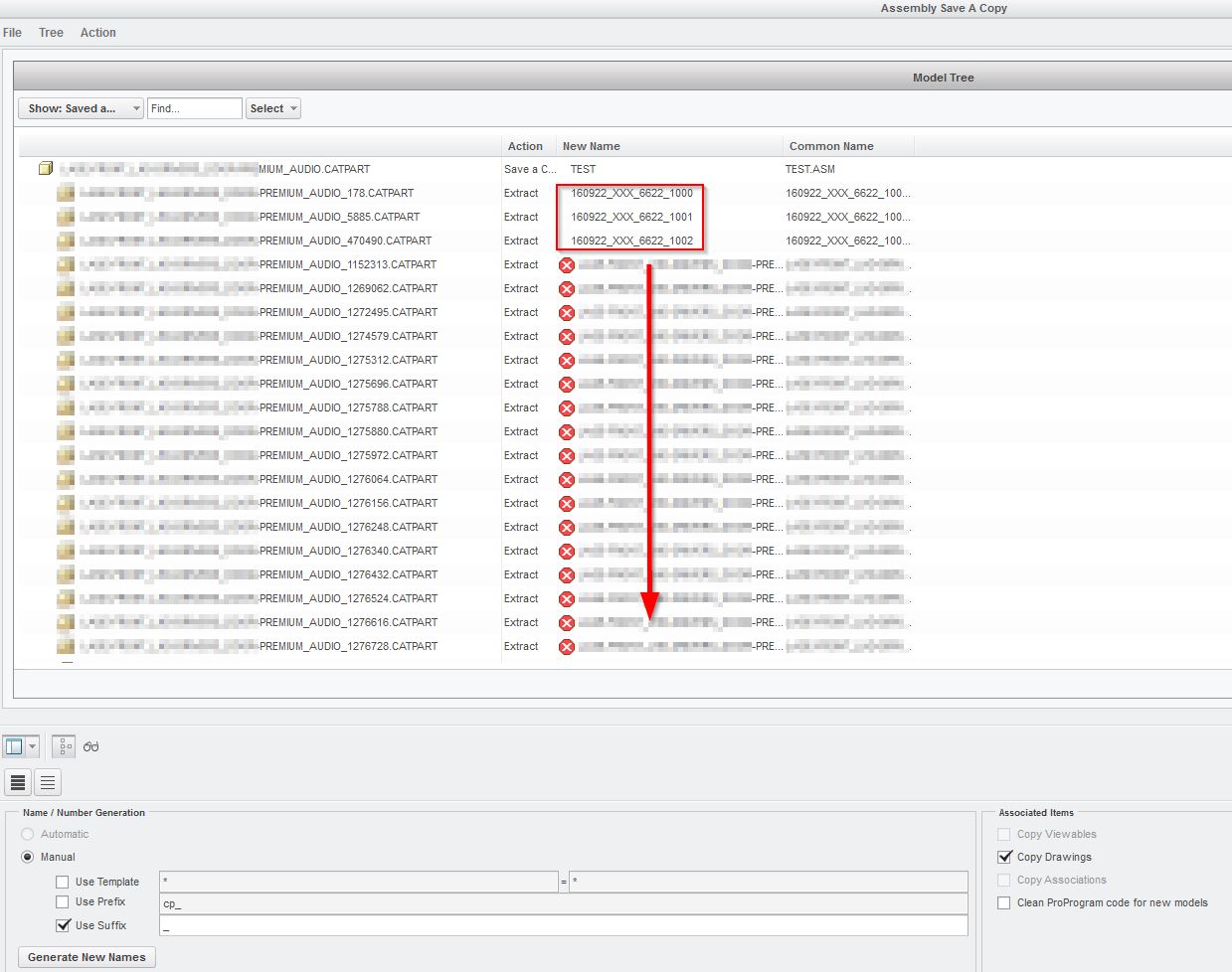
Now my question is, if somebody knows a way to do this renaming in a automatic way?
I've tried to do this by use of "File -> Save" and "File -> Load" (in the "Assembly Save A Copy"-window). But this doesn't seem to work when the "Action" is on "Extract"...
Can anyone help me with this? Because this will save us a lot of time!
This thread is inactive and closed by the PTC Community Management Team. If you would like to provide a reply and re-open this thread, please notify the moderator and reference the thread. You may also use "Start a topic" button to ask a new question. Please be sure to include what version of the PTC product you are using so another community member knowledgeable about your version may be able to assist.