1-Visitor
September 16, 2013
Solved
Blank dimension in drawing
- September 16, 2013
- 3 replies
- 10754 views
Hi all,
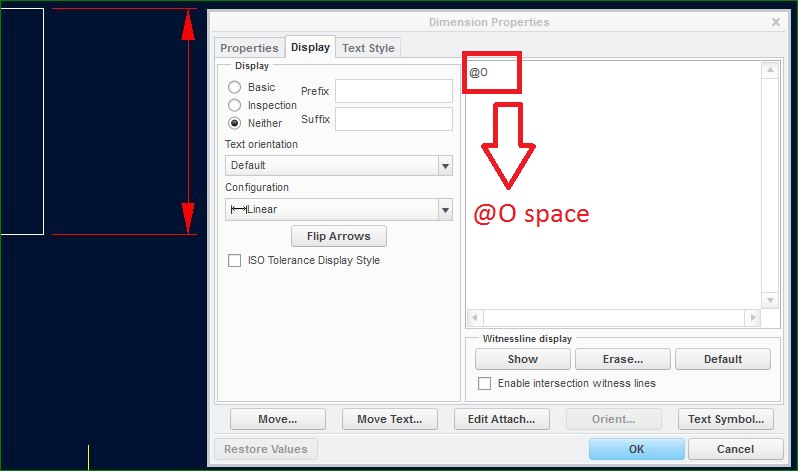
Is it possible to create a dimension in a drawing without a visible value?
I know you can replace @D with @S and manually type in your own in text however I would like to remove the 'add1' in the image attached.
Any suggestions would be appreciated!
Thanks,
Craig
This thread is inactive and closed by the PTC Community Management Team. If you would like to provide a reply and re-open this thread, please notify the moderator and reference the thread. You may also use "Start a topic" button to ask a new question. Please be sure to include what version of the PTC product you are using so another community member knowledgeable about your version may be able to assist.
 and 1 space afterwards.