1-Visitor
May 30, 2017
Solved

BOM Layout

  • May 30, 2017
  • 1 reply
  • 3313 views

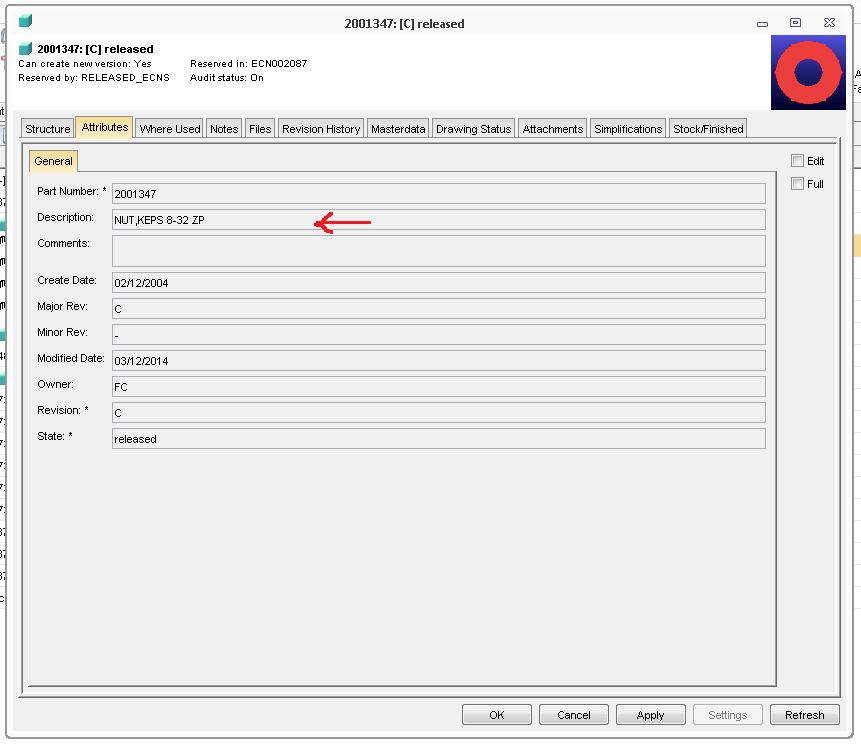
Would someone be able to please confirm for me, that the Description field in DB Properties > Attributes is the correct Text Reference I have set in BOM Table Layout?

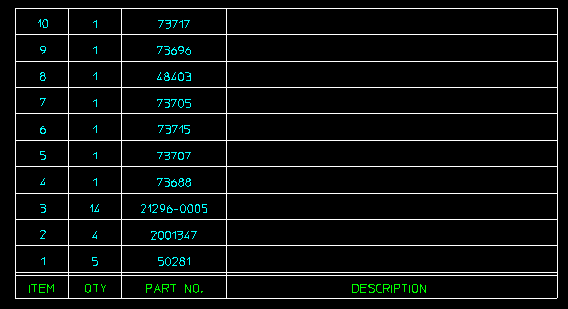
After Drawing the table, the Description entries show up blank.


Thanks!


Mike

Creo Elements Direct 18.1 - Annotation Module
 

BOM_1.png

BOM_2.png

BOM_3.png

Best answer by mmaenpaa

I found the answer by accident.

While in the BOM Editor, there's a command to Send To > Annotation.

BFG was the correct Group, and I had to re-assign the correct attributes associated with the BOM Editor columns.

My BOM Table looks the way I want now.

Mike

1 reply

14-Alexandrite
May 31, 2017

Hi Mike,

You're using Modeling with Model Manager and the text reference group used is BFG (local).

If you want to reference text with Model Manager values, you should use text reference group tb (global). Your description reference should be tb:DESCRIPTION.

Hope that will help you

mmaenpaa1-VisitorAuthor
1-Visitor
May 31, 2017

Louis FORTNER wrote:

Hi Mike,

You're using Modeling with Model Manager and the text reference group used is BFG (local).

If you want to reference text with Model Manager values, you should use text reference group tb (global). Your description reference should be tb:DESCRIPTION.

Hope that will help you

Louis,

Thanks for your reply.
I tried that, but no luck, it didn't work.

Mike