
1-Visitor
January 15, 2015
Solved

box in sheetmetal

  • January 15, 2015
  • 2 replies
  • 2926 views

Hello

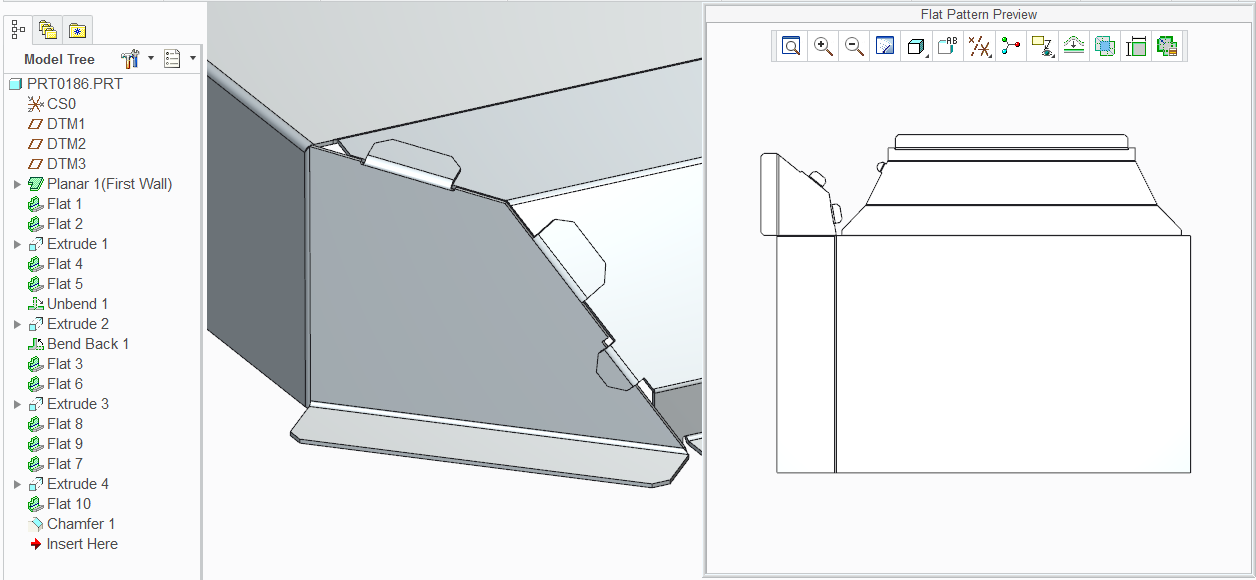
i try to make this piece in scheetmetal and i don"t know how i close this box .

the box have two angle 13,8 and 120 degree.

i try to make with sketched flat but not is perfect solution

Please some sugestion

Tks


This thread is inactive and closed by the PTC Community Management Team. If you would like to provide a reply and re-open this thread, please notify the moderator and reference the thread. You may also use "Start a topic" button to ask a new question. Please be sure to include what version of the PTC product you are using so another community member knowledgeable about your version may be able to assist.
Best answer by TomD.inPDX

I cannot open your file. Probably Creo 3.0... but attached is a file with similar features.

Let me know if you need help on any specifics in how this was done.

complex_bends.PNG

2 replies

Redro1-VisitorAuthor
1-Visitor
January 15, 2015

Untitled.png

Redro1-VisitorAuthor
1-Visitor
January 15, 2015

Untitled1.jpg

21-Topaz II
January 15, 2015

Two thoughts:

  1. Add the wall as a too-large rectangle and trim it back with an extruded cut from the center of the part.
  2. Built the overall geometry as a solid, convert to sheetmetal by shell, add rip features to create gaps.

I'd probably use #2 if you've got time to start over.

Redro1-VisitorAuthor
1-Visitor
January 16, 2015

please others sugestion

17-Peridot
January 16, 2015

These kinds of parts simply require perseverance... or a lot of math. I prefer to use the perseverance approach.

This geometry is certainly not impossible. My greatest hindrance in Creo sheetmetal is the lack of control at the reliefs. Although there is significant control available, it is not always what you want. This can become frustrating. Hence, the reason for perseverance. If you are prepared to accept this, you are already half way there.