
5-Regular Member
May 5, 2026
Solved
Cable Lay Pattern
- May 5, 2026
- 2 replies
- 121 views

Hello,
I’m not aware of any packing‑optimization feature in Creo (I’m using Creo 9). Maybe someone with more experience knows otherwise.
From what I’ve seen, Creo appears to use hexagonal packing for cables. For example, with 10 wires or 20 wires, the resulting layouts match the typical hexagonal patterns (as shown in the figures below).
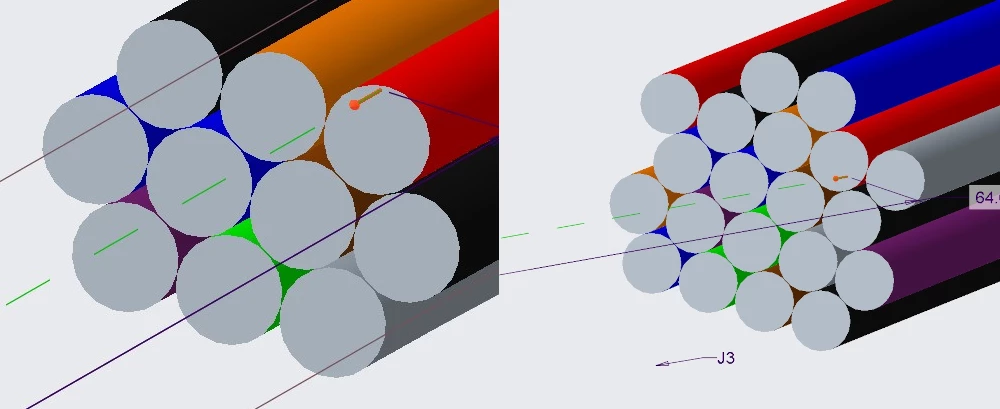
If you have the same wires routed as two separate cables on a shared network, each cable also seems to be packed hexagonally. In that case, the two cables themselves will stack in a hexagonal pattern as well, something like this:
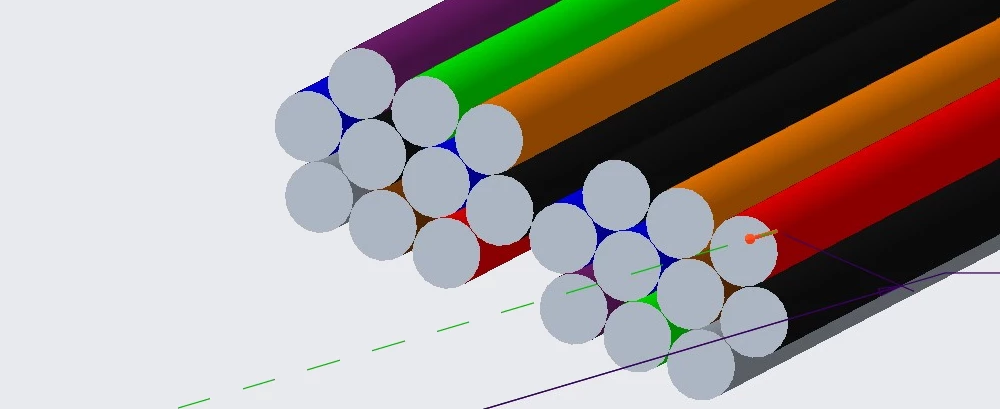
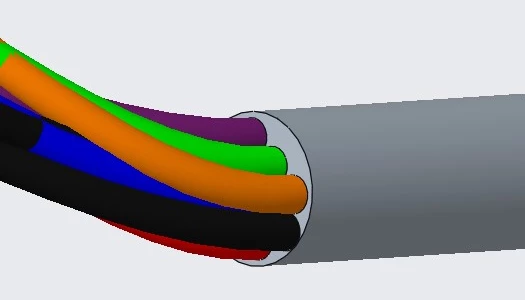
One way to get a more optimal circular bundle is to first treat the wires as a single bundle and size the inner diameter to match an ideal circle packing. For instance, for ten 1.27 mm wires, an optimal bundle inner diameter is about 4.843 mm (per this calculator: https://www.wolframalpha.com/input?i=pack+10+circles+in+a+circle).
Creo will calculate the bundle diameter as 5.08 mm based on its hexagonal packing, and it will warn you that your specified bundle diameter is smaller. However, it still accepts the 4.843 mm value. Using that value gives you a closer‑to‑optimal round packing of the wires.
Br, Lars
Enter your E-mail address. We'll send you an e-mail with instructions to reset your password.