Solved
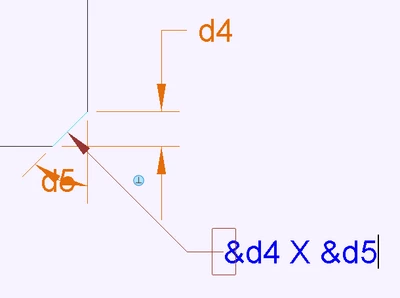
Chamfer dimesioning & tolerancing
As per the original post.
Is there any way to use the existing model annotation and add a tolerance to its angle? Surely it should be this easy: https://www.youtube.com/watch?v=8fzz2cMiAZc

As per the original post.
Is there any way to use the existing model annotation and add a tolerance to its angle? Surely it should be this easy: https://www.youtube.com/watch?v=8fzz2cMiAZc
Enter your E-mail address. We'll send you an e-mail with instructions to reset your password.