
1-Visitor
January 24, 2013
Solved

Change work plane in existing part

  • January 24, 2013
  • 6 replies
  • 9671 views

I am editing existing extrusion profiles. In state of making all the sketches for extrusions on the “top” plane, my co-workers placed the sketch on top of a surface.

I want to change the reverence plane from the surface to the “top” plane and so resolve my profile.
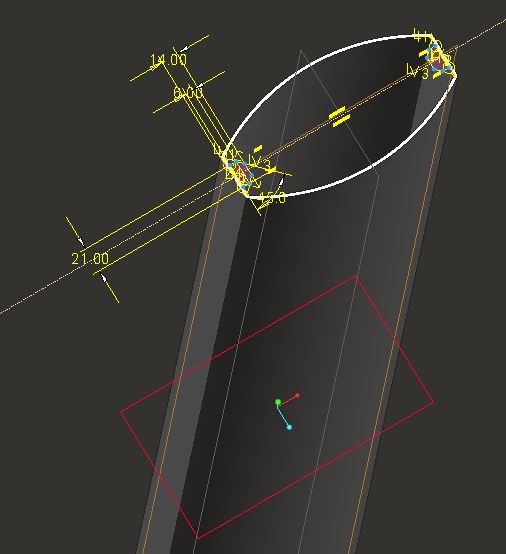
Plane.JPG

Is this possible, and how?

Stefan

Best answer by sloman

Het is gelukt! (means “I did it!”)

These are the steps I have done:

1) Place de “insert Here” to the top;

2) Make a new workplane;

3) Place de “insert Here” under the first extrusion;

4) Edit defenition of the sketch;

5) Select “Sketch Setup” (on my screen somewhere in the upper left corner);

6) Change the “Plane” to the one you want (in my case, the TOP plane)

7) Finish the sketch;

😎 Edit Defenition of the extrusion again;

9) And so on.

I did not had any missing references anymore. Probably because I moved the “insert Here” to the top.

Thanks for the tips!

Stefan

6 replies

Patriot_1776
22-Sapphire II
January 24, 2013

You can either "Redifine" the feature and the referenced sketch (internal or external) to use a different plane, or you can "Edit References" of the feature and do the same. Be aware that, depending on the way the depth is specified, it will probably change the length of your protrusion.

sloman1-VisitorAuthor
1-Visitor
January 25, 2013

Morning Frank,

I Have successfully changed the workplane. Now is the sketch missing some references….It is becoming a mess!

I am going to re-model the part from the start and delete the old one.

Thanks for the tip.

Stefan

17-Peridot
January 25, 2013

Work planes can be difficult to deal with. Sure you can re-assign them but in the process, things might get turned around. If you choose carefully for changes that are parallel to the original sketch plane, you stand a good chance to get the orientation right. Other times, you have to remember to update the references.

Depending on the number of levels the part is already used, you can create just as big a mess at higher level assemblies by rebuilding the sketch. I often try a few different methods to change the sketch reference and close, erase not displayed, and reload the part when I find the magic combination.

I had a difficult sketch today that modeled backwards. Turns out all I had to do is move the sketch plane to the other side of a cylinder and all was perfect. Those are rare occasions, of course