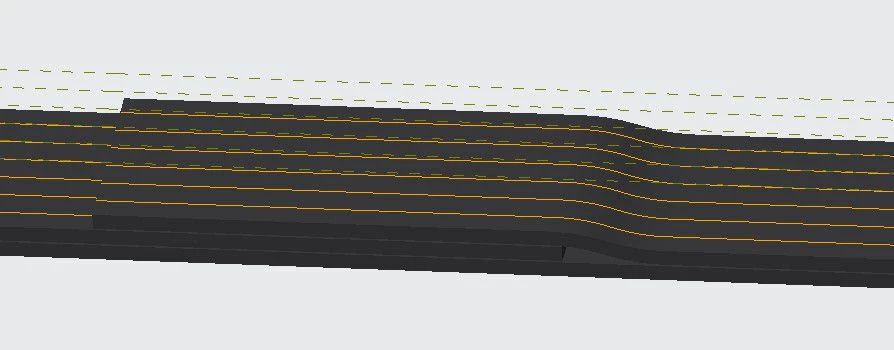
Changing the properties of a projected Cosmetic Sketch
Hi. I'm using Creo 7.0.10 and I cannot find a way to change the line properties of a projected cosmetic sketch.
I can change the properties of the lines within the cosmetic sketch feature itself (color and line type) but when I project the feature onto the surface, the projected lines are created with the default color and type. (orange, solid). See snapshot.
I am trying to create a simple sewing pattern onto overlapped fabric, hence the dashed lines. I can do this with projected datum curves, but our (enormous) company Windchill is set up to always hide all layers for official Check In. Our system will also not allow us to create additional layers so I have that potential alternative working against me as well and there is 0 chance of changing that.
Cosmetic Sketch gets me around my curve/layer limitations, but now I am faced with this new dilemma.
Is there a way to change the projected feature properties or is this just how Creo works?
Thank you for any tips or assistance you might have.